JMS Account Caching
Configure the global JMS connection cache timeout on a Snaplex in SnapLogic Manager to control how long JMS account credentials are cached.
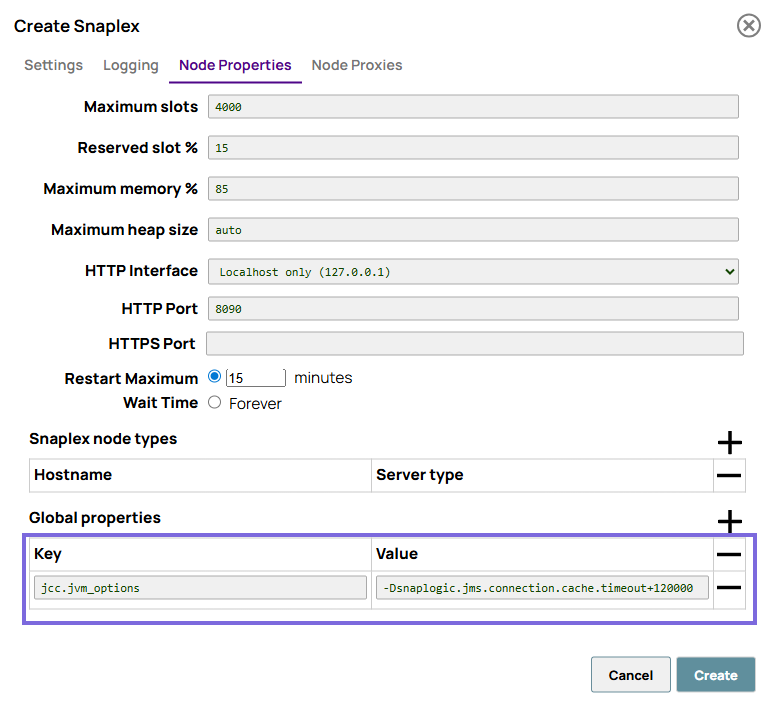
You can specify a global property for timeout in your Snaplex when connecting to the JMS server. To set this value:
-
Click Node Properties and, at the bottom of the tab that appears, add
the following entry into the Global properties field set:
-Dsnaplogic.jms.connection.cache.timeout=<milliseconds>