


Project Manager FAQs
Frequently asked questions:
- What is Project Manager?
Project Manager is the next generation of Classic Manager. It includes a simplified interface to access:
- Features
- Account Statistics
- Scheduled Tasks
- Asset Search
- Snap Statistics
- AutoSync Manager
- Classic API Management
- What happened to all of the administrative settings?
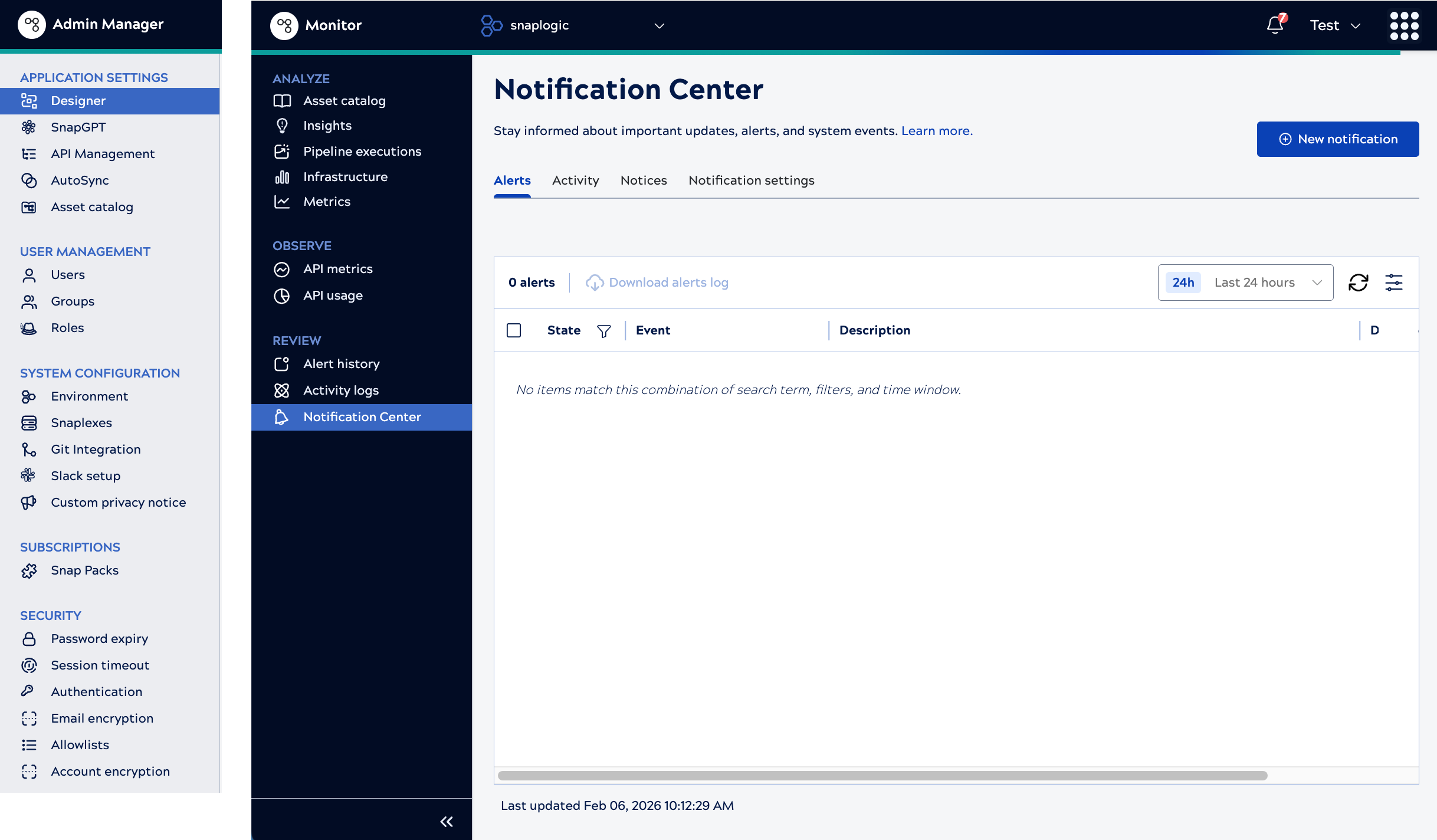
Most administrative settings are available in the Admin Manager. A few, such as alerts and notifications are available in Monitor. Administrative settings lists all settings and links to the documentation on their new locations. The following image shows Admin Manager settings and the Monitor Notification Center.
- Can I still access Classic Manager?
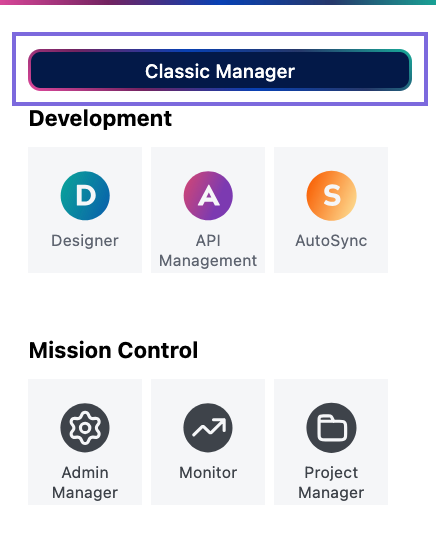
Yes, temporarily you can access Classic Manager from the waffle menu.
- When will Classic Manager go away?
The plan is to remove Classic Manager completely in the August 2026 release.
- Where do I find the administrative settings that were in Classic Manager but aren't in
Project Manager?
Most administrative settings are available in the Admin Manager. A few, such as alerts and notifications are available in Monitor. Administrative settings lists all settings and links to the documentation on their new locations.
- Where do I share feedback?
Send an email to: support@snaplogic.com. We'd love to hear your thoughts.