


Create, add, and run the thread
This example pipeline demonstrates how to create a thread, add the message to the specified thread, and run it to get results.
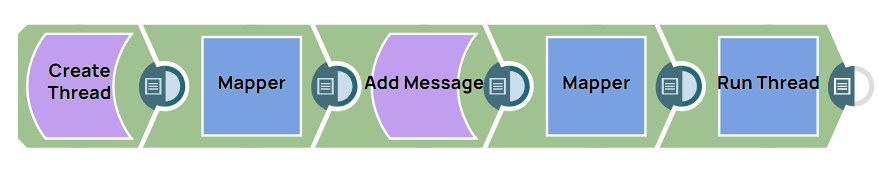
-
Configure the Create Thread (Not Recommended) Snap to create a thread. The Snap generates an
idfor the thread in the output.Create Thread configuration Create Thread output 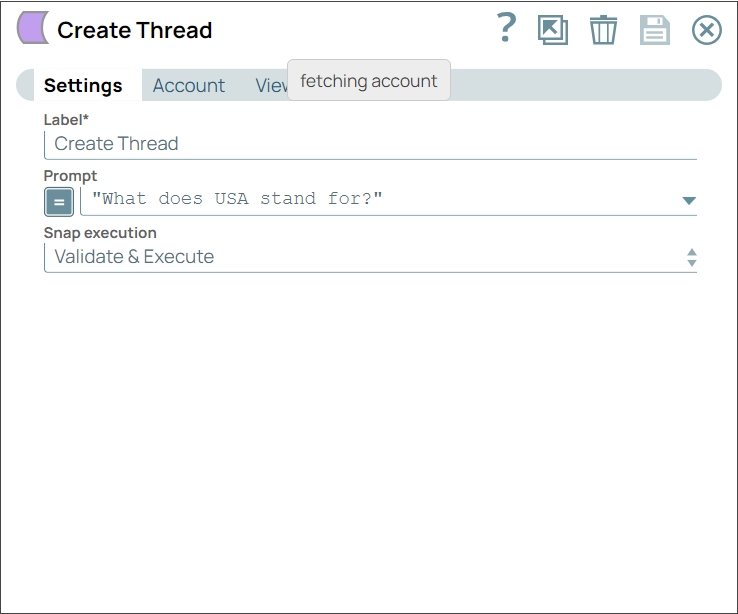
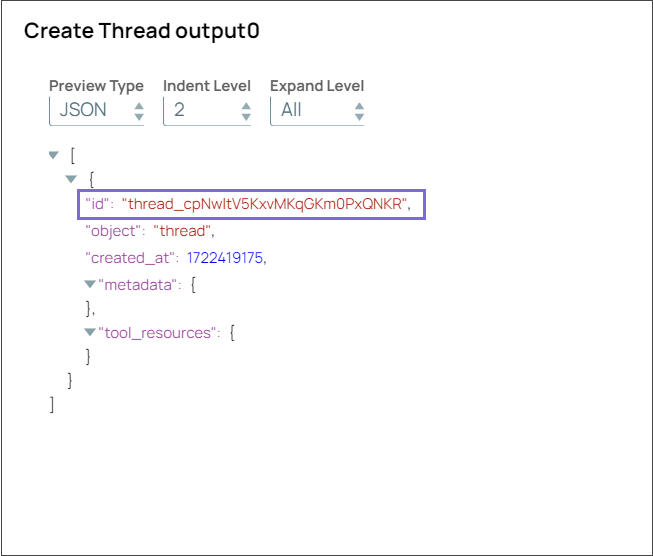
-
Configure the Mapper Snap to pass the
thread_idgenerated by the Create Thread (Not Recommended) Snap.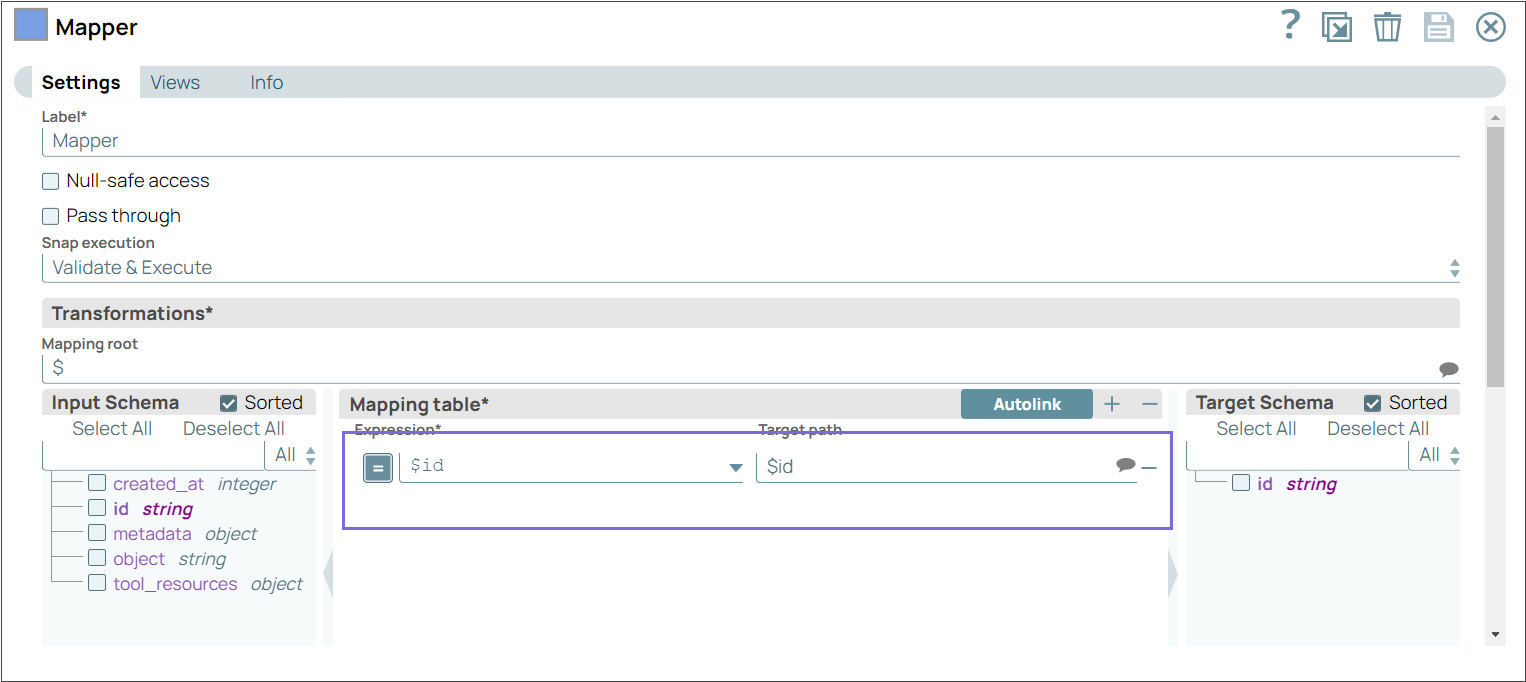
-
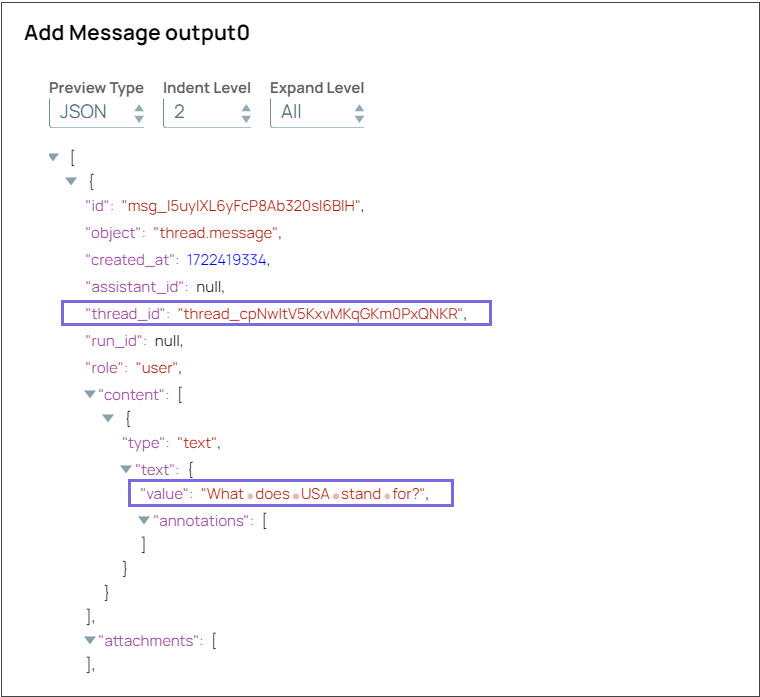
Configure the Add Message (Not Recommended) Snap to add the message to the specified thread.
On validation, the Snap displays the added message.
Add Message Snap configuration Add Message Snap output 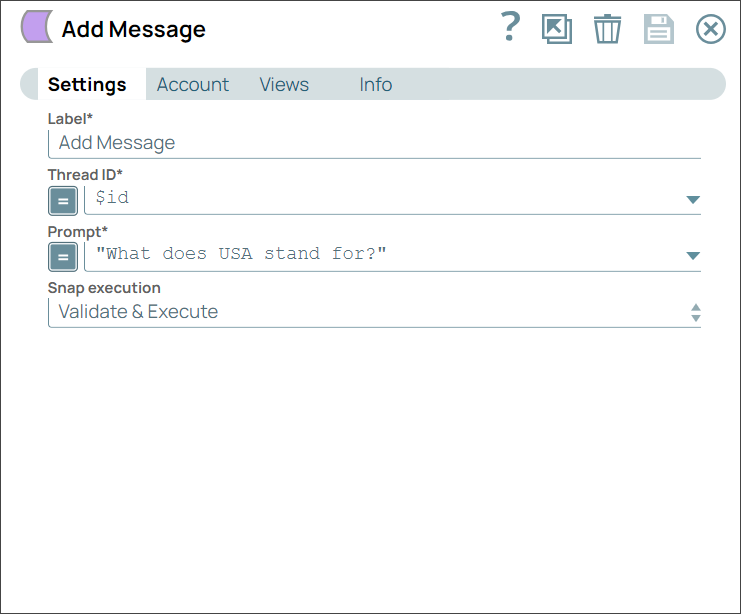
-
Configure the Mapper Snap to pass the
thread_idto the downstream Run Thread (Not Recommended) Snap to run the added thread.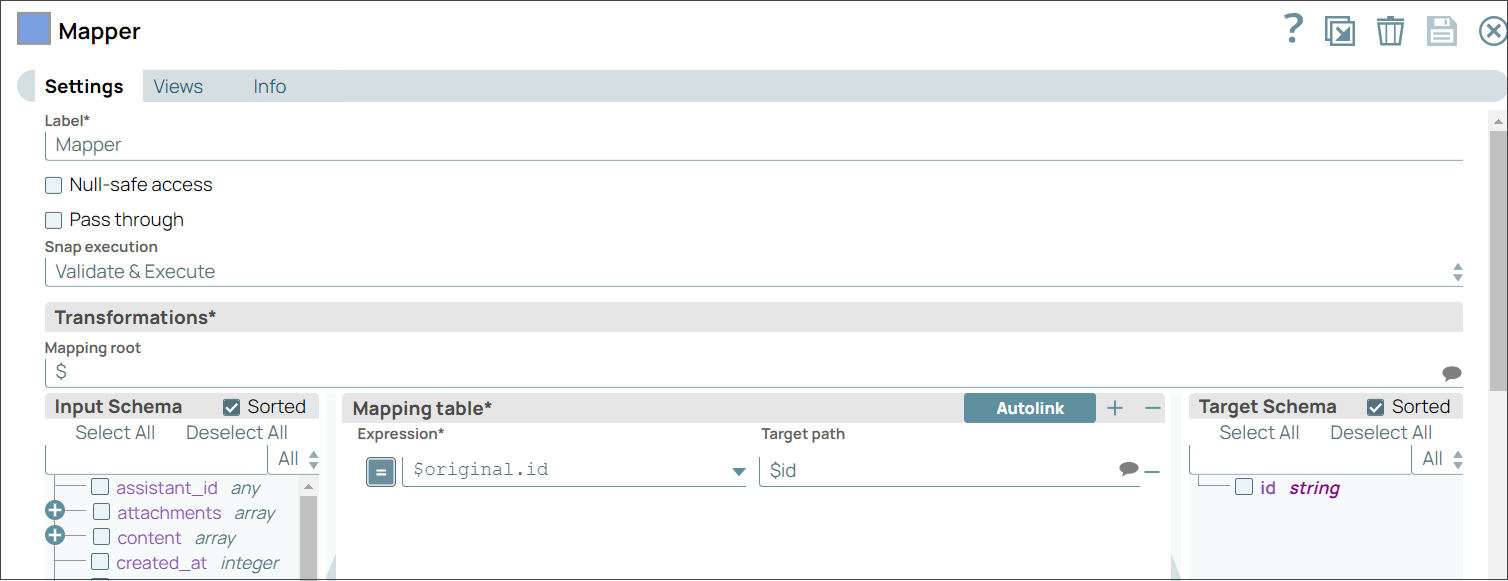
-
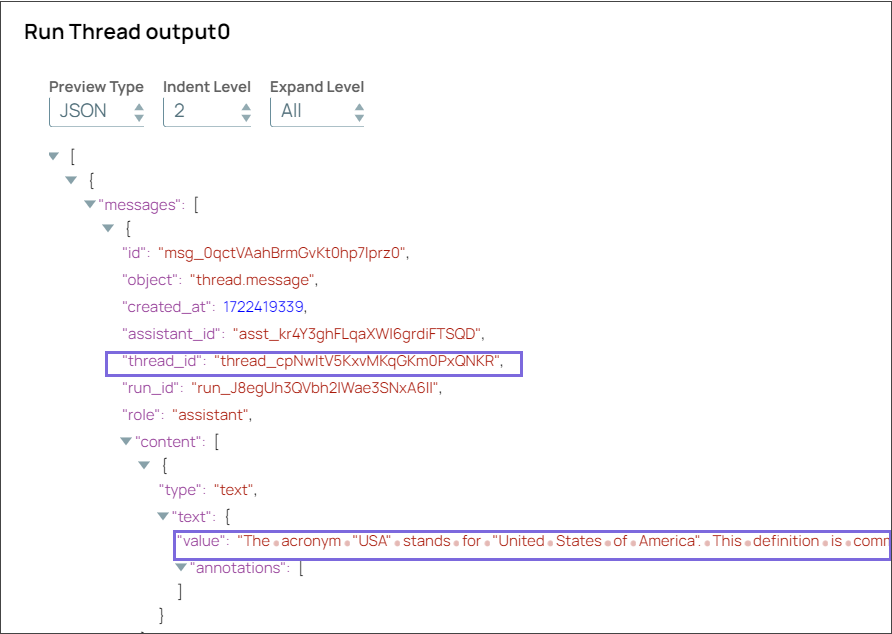
Configure the Run Thread (Not Recommended) Snap to run the thread to get the results.
On validation, the Snap displays the result for the prompt you provided in the Create Thread (Not Recommended) Snap.
Run Thread Snap configuration Run Thread Snap output 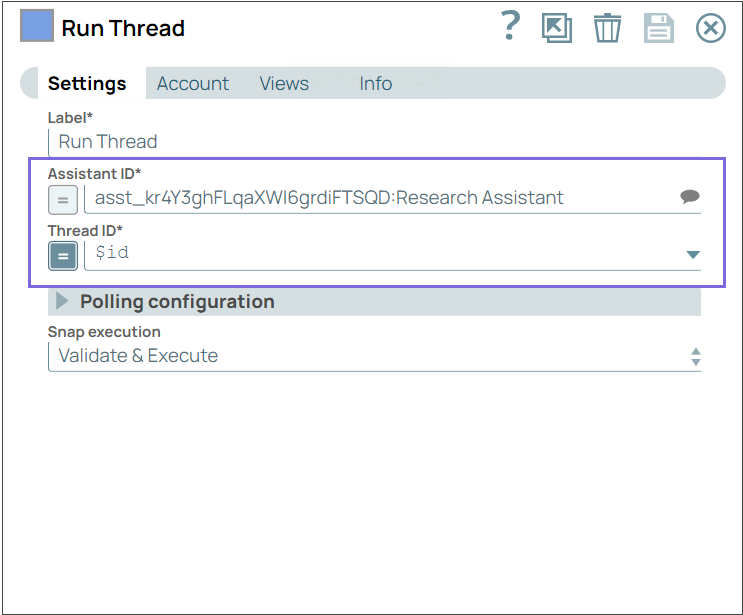
- Download and import the SLP file into your Environment.
- Configure Snap accounts.
- Provide Pipeline parameters, if any.