


SSL Account
Overview
You can use this account type to connect API Suite Snaps with data sources that use an SSL account.
Prerequisites
- Valid certificates (Keystore, Truststore, Keystore/Truststore password, and Key alias).
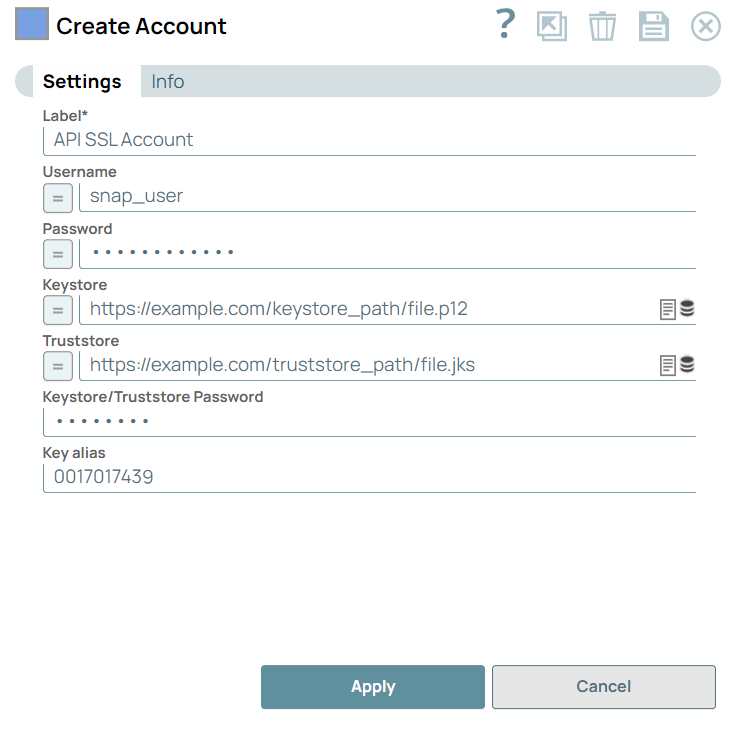
Account settings
Note:
Learn about the common controls in the Snap settings dialog.
| Field/Field set | Description |
|---|---|
| Label
|
Required.. Specify a unique label for the
account. Default value: None. Example: API SSL Account |
| Username
|
Specify the username associated with the
account. Note: To access the username for the HTTP Client Snap, enable expressions
for the field and enter account.username.Default value: None. Example: snaplogicqassl |
| Password
|
Specify the password associated with the
account. Default value: None. Example: P@#439ui7!* |
| KeyStore
|
Specify the location of the KeyStore file that can
be in your SLDB or any other unauthenticated endpoints such as https://... Default value: N/A Example: https://example.com/keystore_path/file.p12 |
| TrustStore
|
Specify the location of the trust store file. It
can be in the SLDB or any other unauthenticated endpoint such as https://... Default value: N/A Example: https://example.com/truststore_path/file.jks |
| Keystore/Truststore Password
|
Specify the password for Keystore/Truststore. It is used for both,
Keystore and Truststore, if both are defined. Default value: N/A Example: z00mD0g!/ |
| Key alias
|
Specify the key to use through its alias. Default value: N/A Example: 0017017439 |