


Fetching Pet Information by Status
We want to retrieve a list of all the available pets in the pet store. This Pipeline demonstrates how we can use the OpenAPI Snap to accomplish this task:
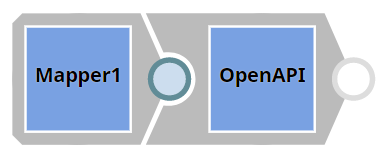
-
We must query the status parameter with the available value to view a list of
all pets with the available status. We pass this value to the
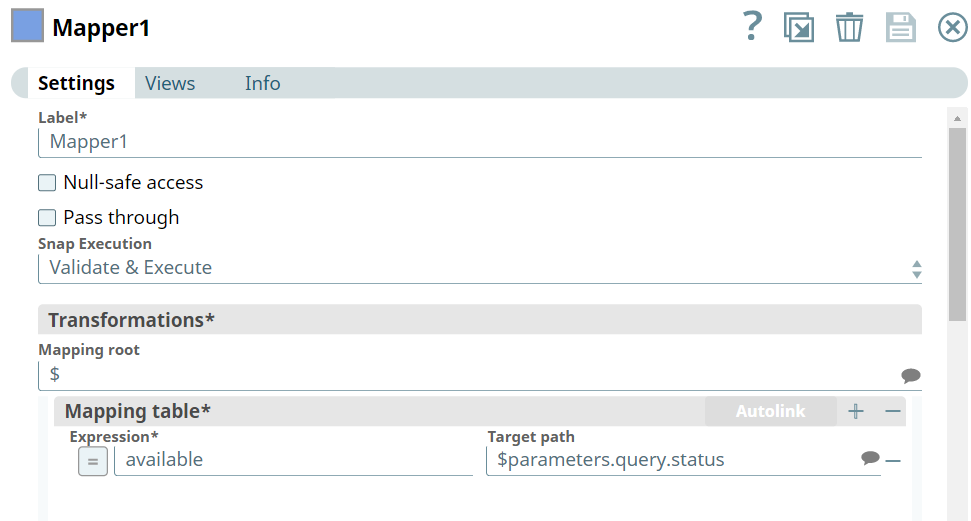
$parameters.query.status parameter in the OpenAPI specification using a Mapper Snap configured as shown below:
-
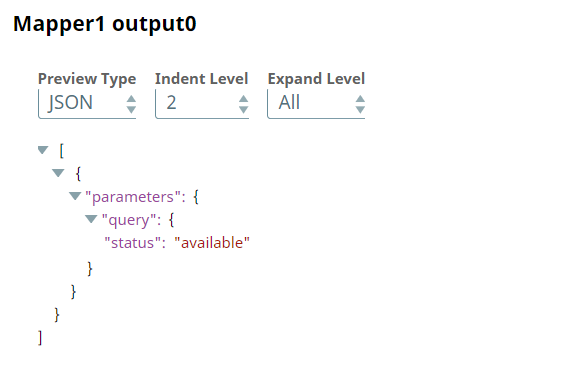
Based on the above configuration the Mapper
Snap maps the value available to the $parameters.query.status parameter as
shown in the Mapper Snap's output below:
-
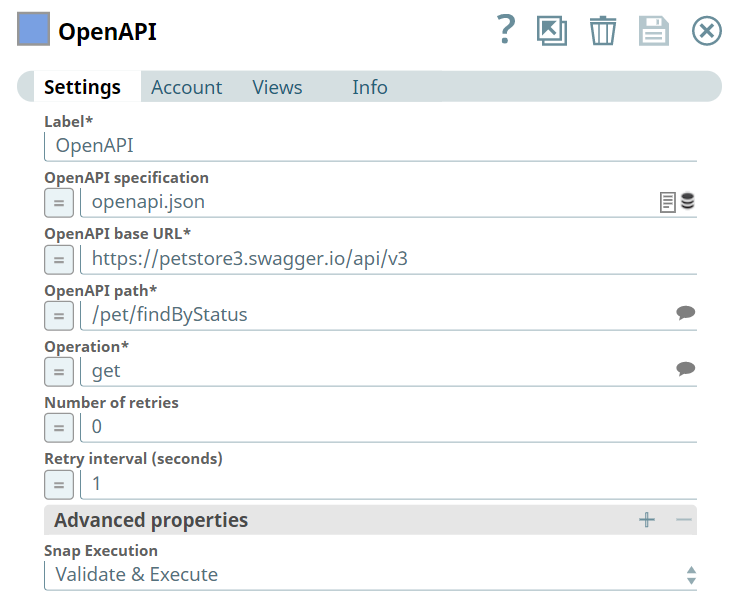
We configure the
OpenAPI
Snap to call the pet store's
API using the OpenAPI specification, base URL, OpenAPI path, and operation type as shown
below:
-
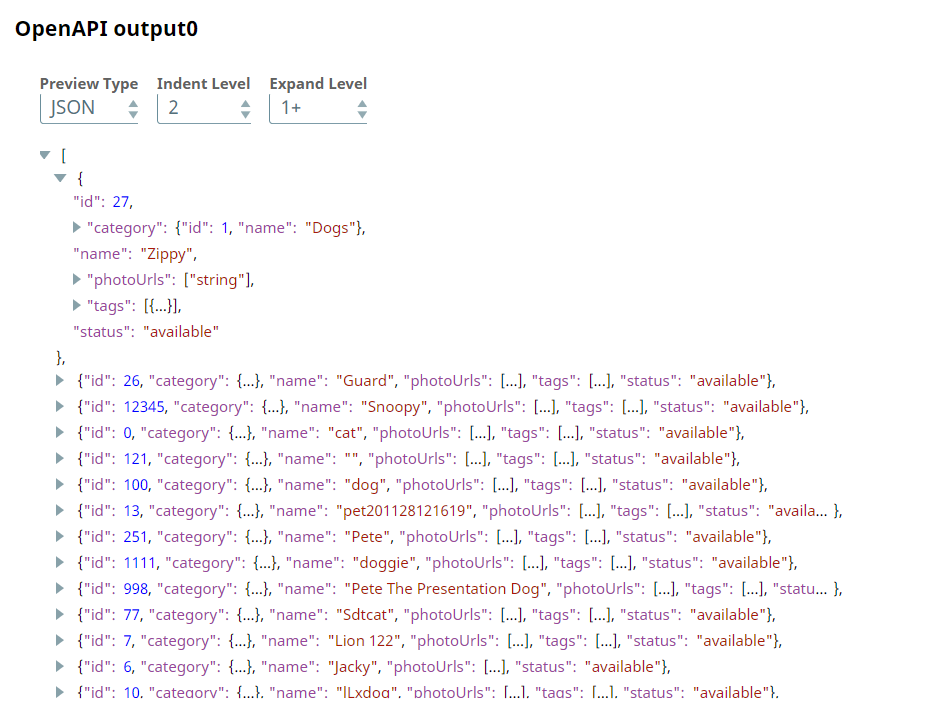
Upon successful execution, the
OpenAPI
Snap retrieves
the information from the endpoint as shown in the Snap's output preview below:
- Download and import the pipeline into SnapLogic.
- Configure Snap accounts as applicable.
- Provide pipeline parameters as applicable.