


Attach Email from a File Location
In the below example, the Email Sender Snap sends an email with multiple attachments from the FILE location. The Email Sender Snap does not support wildcards in attachments to support multiple attachments. Therefore, the following Pipeline uses the Directory Browser Snap as an upstream Snap to combine multiple file paths and sends that to the Email Sender Snap.
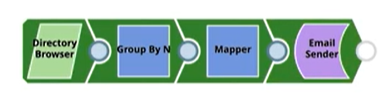
Download this pipeline.
-
Configure the Binary Snap to specify the directory path and to filter the files with
*.PNG as in the following image.
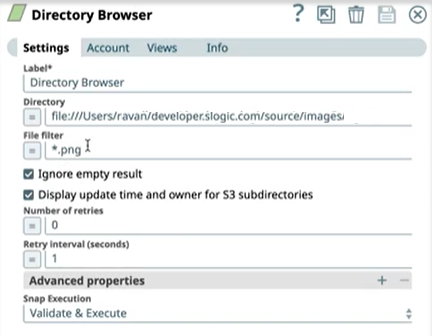
-
Configure the
Group By N
Snap to set the
Group Size as 0 so that all the files in the directory are combined as one to give one
output.
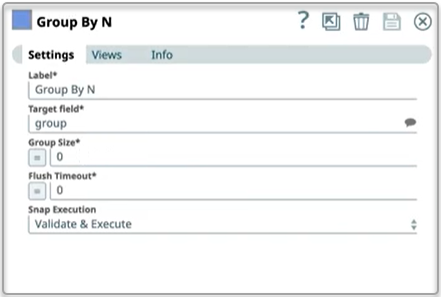
-
Configure the Mapper Snap to map the path
field against the Target path.
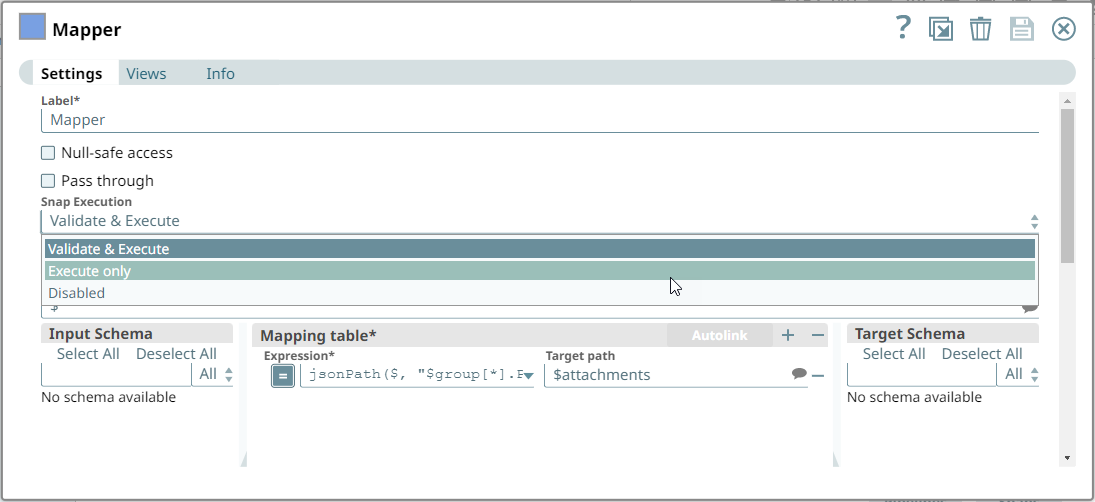
-
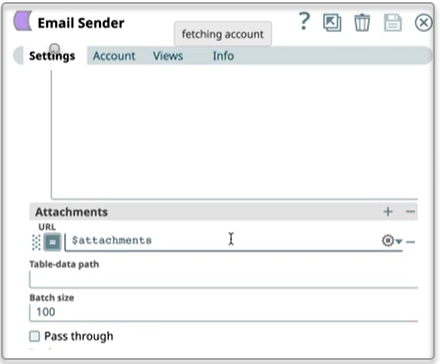
Finally, the Email Sender Snap to set the Attachments URL.
-
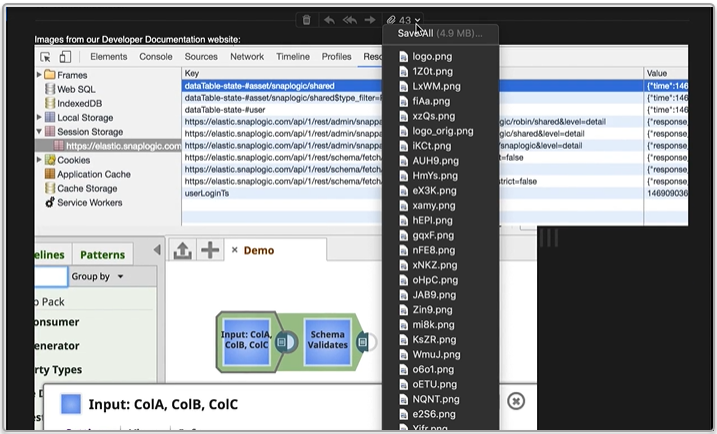
When you execute this pipeline, the Snap sends the email with all the attachments to
the intended recipient (s).
- Download and import the pipeline into SnapLogic.
- Configure Snap accounts as applicable.
- Provide pipeline parameters as applicable.