Deleting a File from Your SnapLogic Database
The following pipeline describes a
File Delete
Snap that deletes a file from your SnapLogic database. The pipeline:
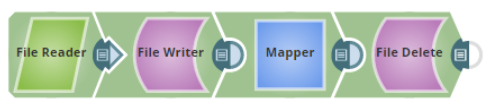
- Reads a file from your SnapLogic database using the File Reader Snap.
- Writes/Creates a new file in your SnapLogic database using the File Writer Snap.
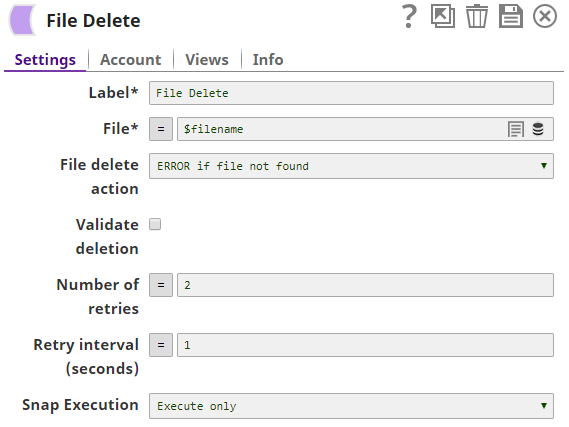
- Passes the filename field to the File field of the File Delete Snap using the Mapper Snap.
- Deletes the newly created file, using the filename parameter, from your SnapLogic database using the File Delete Snap:
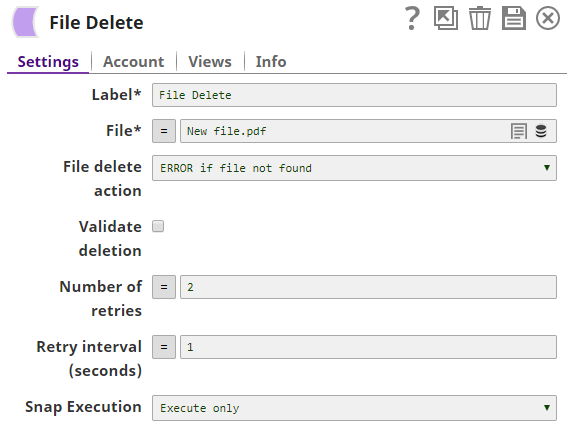
Similarly, in the above example, you can directly pass the filename in the File
field of the
File Delete
Snap:
The following
File Delete
Snap deletes a file that
exists on an external server. You must link the
File Delete
Snap with a valid user account and ensure
that the user account has the appropriate privileges to delete a file from an external
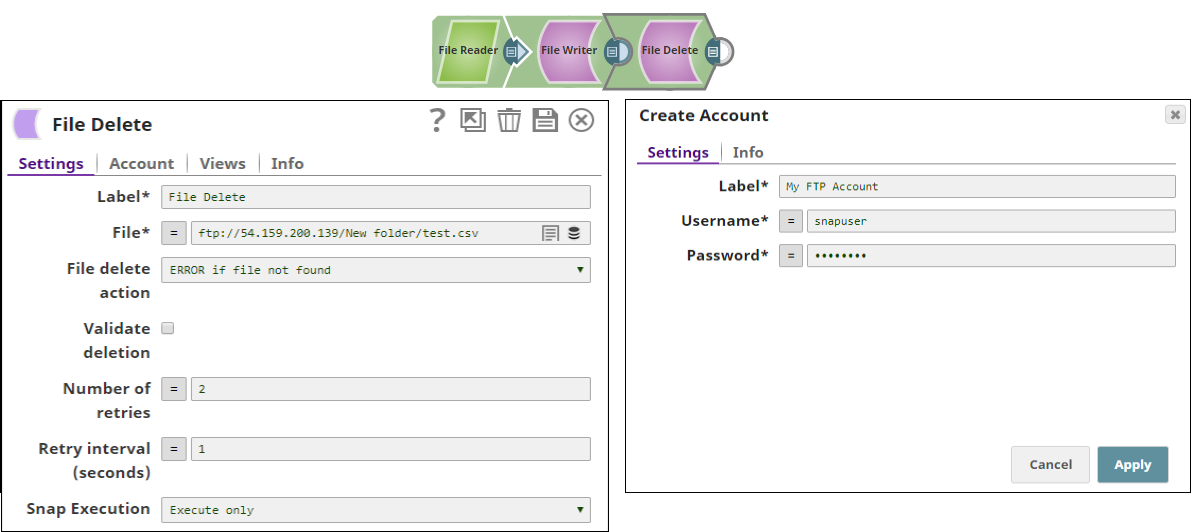
server. In the following pipeline, the
File Delete
Snap uses valid FTP user account credentials to delete the test.csv file: