


Selecting a Subset of Data from an Amazon S3 Object (CSV file)
This example Pipeline demonstrates how to use the Amazon S3 Select Snap to select a subset of data from a CSV file.
Prerequisites
A valid AWS S3 Account
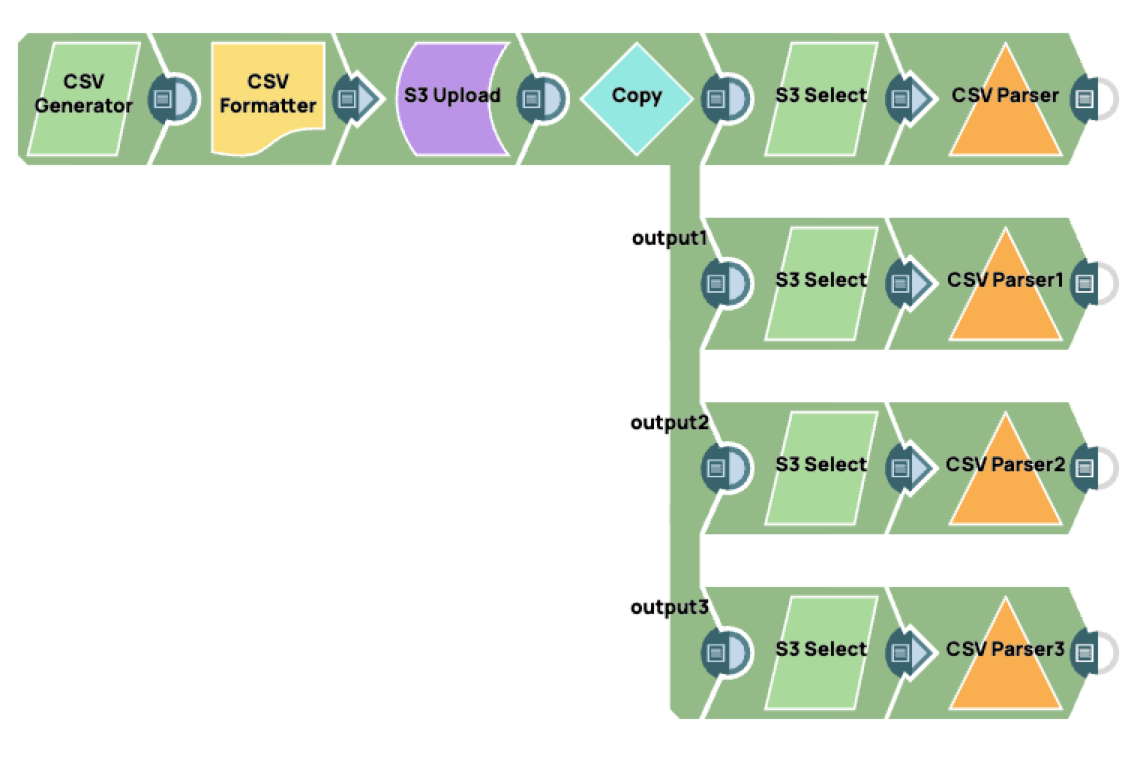
In this example we take a CSV file and use S3 Select to output different subsets of the data.
Overview of steps:
-
Upload a single CSV file to the S3 object using the CSV Generator Snap.
-
Format the file using the CSV Formatter Snap.
-
Upload the file using the S3 Upload Snap.
-
Copy the output of the S3 Upload Snap to 4 different flows using the S3 Copy Snap.
-
Select a subset of the data using the S3 Select Snap.
-
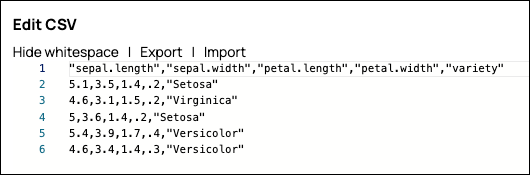
Configure the
CSV Generator
Snap to
generate a new CSV document for the downstream Snap in the Pipeline.
-
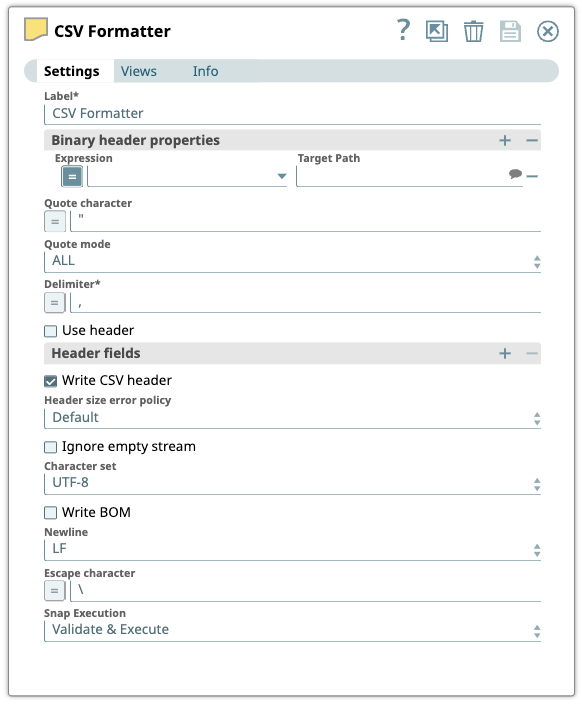
Configure the CSV
Formatter Snap to format
the data as specified in the Snap's settings.
-
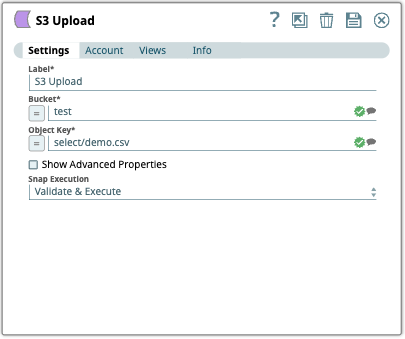
Configure the
S3 Upload
Snap to upload the S3
object (select/demo.csv) object to the S3 object bucket.
-
Use the
Copy
Snap to send the same information
to multiple endpoints. Configure the
Copy
Snap to
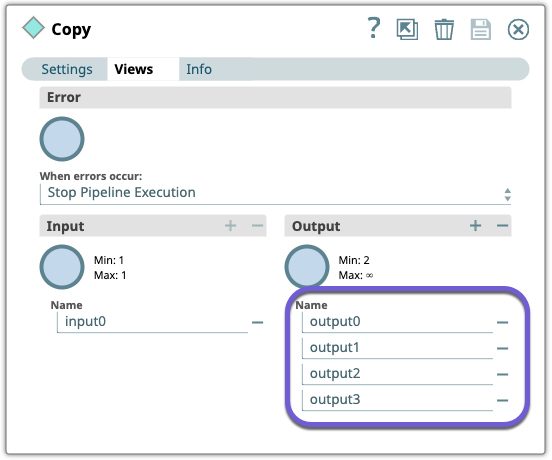
copy the S3 object document stream to the Snap's output views. In this example we
configured four different output views.
-
Configure the
S3 Select
Snap to select a
subset of the data from the S3 object. On validation, the Snap retrieves the data based on
the SELECT statement.
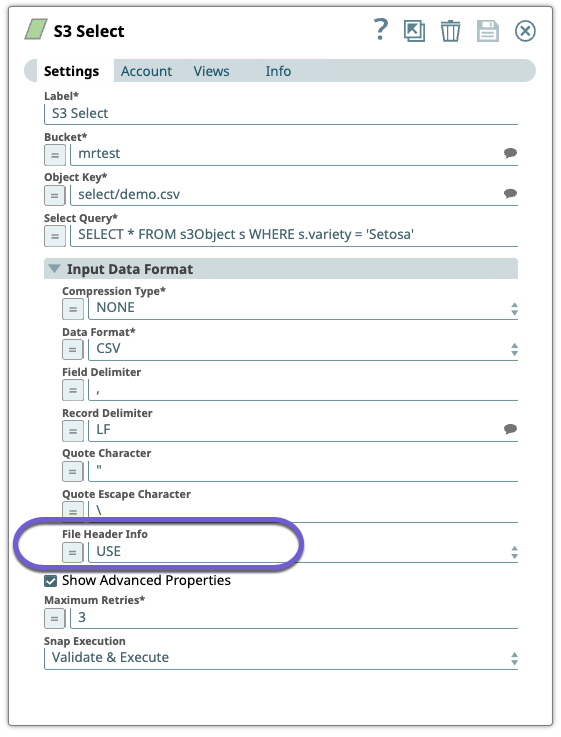
Under Settings, expand the Input Data Format section to select options for File Header Info. This is where you specify whether to use the header information in the SELECT statement.
-
Add a
CSV Parser
Snap after each
S3 Select
Snap to read the CSV binary data from its
input view, parse it, and then write it to its output view.
In this example we configured different output views that use different settings for File Header Info:
-
Output 1: USE means the header data is used in the SELECT statement. In this
example we are referencing a column name in the header
(variety = 'Setosa').SELECT * FROM s3Object s WHERE s.variety = 'Setosa'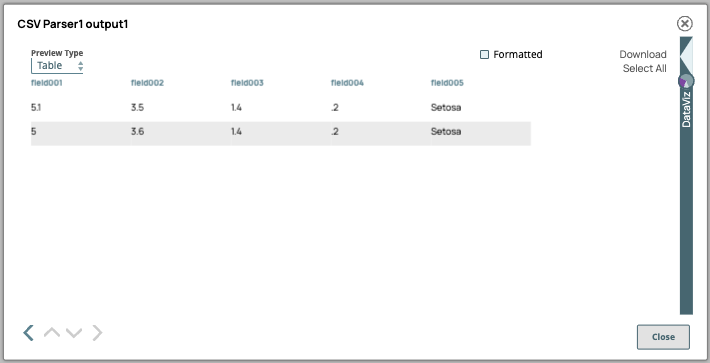
-
Output 2: IGNORE means the header data is ignored in the SELECT statement.
Here, we are using a column index instead of the column name to refer to the same
column in the header
(s._5 = 'Setosa').SELECT * FROM s3Object s WHERE s._5 = 'Setosa'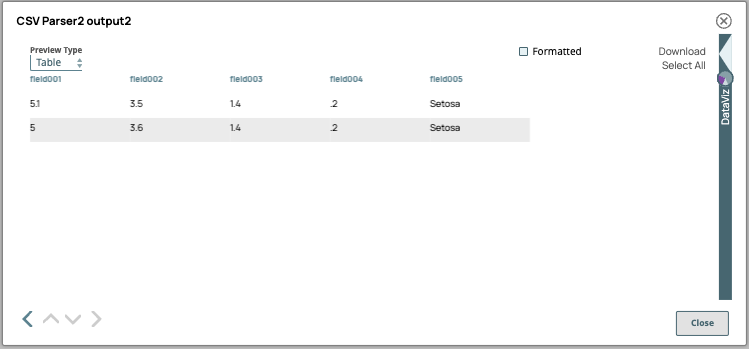
-
Output 3: NONE means there is no header data in the SELECT statement.
SELECT * FROM s3Object s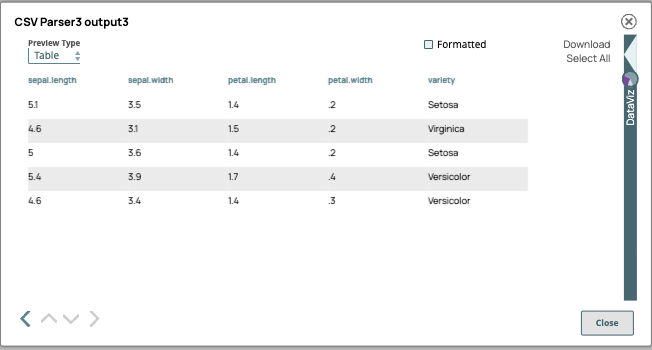
-
Output 1: USE means the header data is used in the SELECT statement. In this
example we are referencing a column name in the header
- Download and import the pipeline into SnapLogic.
- Configure Snap accounts as applicable.
- Provide pipeline parameters as applicable.