


Read a GML file and parse the input as GeoJSON output
This example pipeline demonstrates how to read a GML file from the File Reader Snap, map the content type, and then parse the input as GeoJSON output.
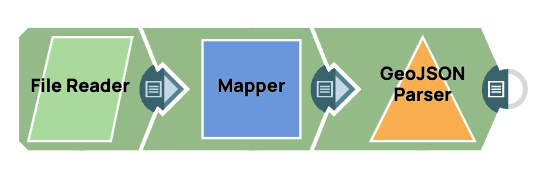
Download this Pipeline
-
Configure the File Reader Snap to read the GML file
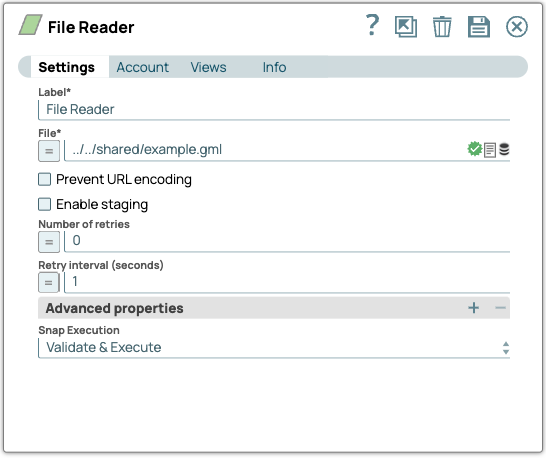
-
Map content type using the Mapper Snap
Next, we add a Mapper Snap to map the content type because the input file resides in SLDB. This step is only needed for input files that reside in SLDB.
In this example, we’ve mapped the content type to
application/gml+xml; charset=utf-8because our input is a GML file.(If your input is a ZIP file of shapefiles, you must update the content type as
application/zip.)
-
Send Mapper output to GeoJSON Parser Snap
Upon validation, the output from the Mapper Snap is sent to the GeoJSON Parser Snap, which parses the GML file.
We configured the GeoJSON Parser Snap to read a GML file as input.
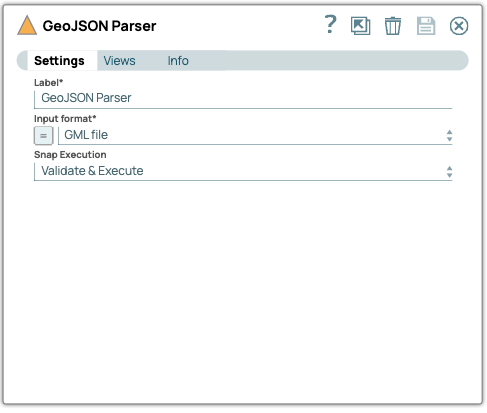
-
Write output as a GeoJSON document
Upon validation, the GeoJSON Parser Snap parses the GML file and writes the contents as a GeoJSON document to its output view.
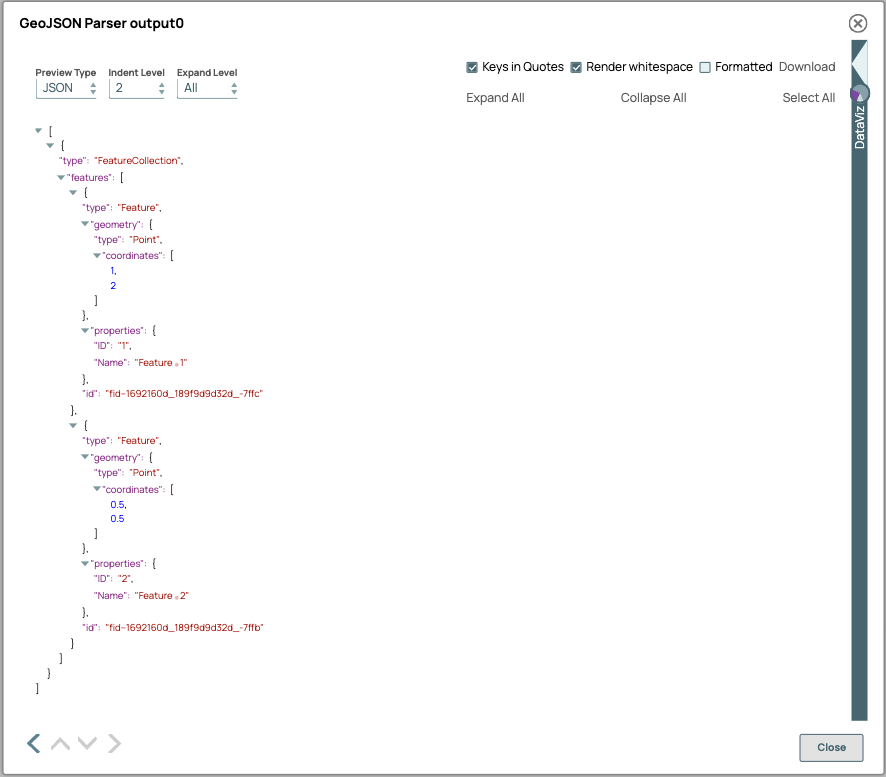
- Ensure the content type is correctly mapped to
application/gml+xmlwhen using GML files. - If using ZIP files containing shapefiles, update the content type to
application/zip. - Validate the final output from the GeoJSON Parser Snap before using it in downstream Snaps or tools.