


Move from Classic APIM to APIM 3.0
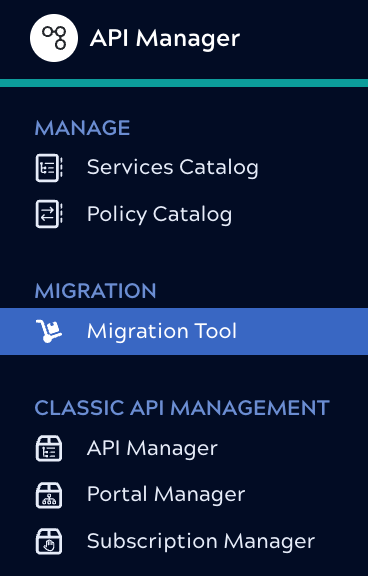
Migration Tool wizard
The Migration Tool wizard guides you through the following steps. Refer to the example of a Simple migration for detailed images of each screen.
- Select one or more API Versions or Proxies to migrate.
- Select the target location for each new Service.
- Optionally, exclude specific assets from migration.
- Migrate the associated Policies, or disable the Migrate policies toggle if you do not want to migrate policies and instead plan to create and apply a new APIM 3.0 Policy after migration.
- Review your selections, then click Migrate.
When you start migration of one or more assets, the migration process happens in the background and you can continue working. An onscreen notification lets you know that the migration is in process. A migration that fails for some reason doesn't block other migrations. You'll receive an email notification when a subscription is successfully migrated. You can view migration events from the Notification center Activity tab in Monitor.
What migration does
When you migrate an API Version or Proxy, the Migration Tool creates a new Service Version in API Management 3.0 without modifying the originals.
- Services
-
- API Versions become new Service Versions with the same name, description, endpoints, accounts, files, tags, and status.
- Proxies become new Service Versions with the same name. Each Proxy endpoint and each mapping rule becomes a Service endpoint.
- Tasks within an API become Service endpoints.
- Path objects that map to endpoints or tasks become HTTP methods.
For published API Versions and Proxies, the new endpoint includes only the HTTP methods defined in the API specification. For unpublished API Versions and Proxies, endpoints include all HTTP methods defined by the OpenAPI Specification (OAS), but with empty definitions.
Important: To migrate existing path objects correctly, publish the API Version or Proxy before migration. - Policies
If you choose to migrate policies, Classic APIM policies become rules in APIM 3.0 and are grouped into policies based on where they originated:
- For an API: API-level rules are added to a policy. If API Versions have their own rules, each version's rules are added to a policy associated with that version.
- For a Proxy: Proxy-level rules become one policy. If endpoints have rules, the rules are added to a policy associated with the appropriate endpoint.
- Assets
The Migration Tool copies the selected assets related to the API Version or Proxy to the new Service Version project. All references point to the new Service location. Any deselected tasks don't have corresponding Service endpoints created.
- Subscriptions
For APIs or Proxies with active or pending subscriptions, the Migration Tool also migrates:
- Applications
- Subscriptions: Configured for API key authentication with a time-to-live of 365 days.
- Subscription requests
- While the new Service is published, you can't migrate the source API Version or Proxy again.
- The Monitor Notification Center Activity tab displays migration events. The event notes the destination project of the migrated resources and the user who migrated them.
- A new Service version exists in the Services Catalog.
- The original API Version or Proxy is not changed.
- Until you publish the new Service:
- Calls to the original URL continue to be handled by the original API Version.
-
After the new Service is published:
- APIM 3.0 forwards calls from the original URL to the new Service.
- Existing subscribers get an email notification and their subscriptions work as before.
- You can approve or reject pending subscriptions from the new Service.
Known limitations
- In API Management 3.0, the Service name must be unique in a project and the URL slug must be unique in an environment. If you try to migrate an API Version or Proxy into a location where that name already exists, the migration process appends an underscore and a number to the name.
- To protect the integrity of migrated assets, after an API or Proxy version is migrated and published in APIM 3.0, migration is locked. You can't migrate it again unless you unpublish it.
- If you publish a migrated Service with subscriptions and later delete it, a second migration of the same API Version or Proxy doesn't migrate the associated subscriptions.
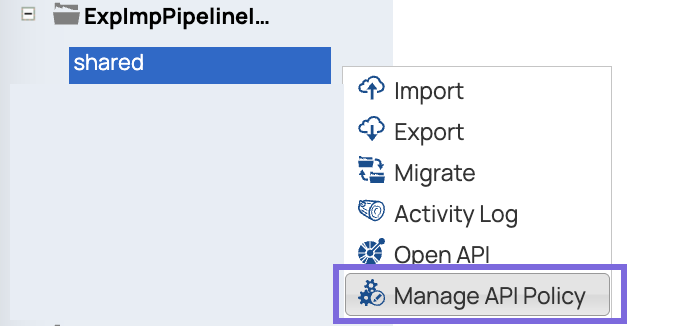
- APIM Policies created in Project Manager from the project menu Manage API
Policy option aren't included in migration because they aren't part of the API
version:
- Mapping expressions are migrated as is. You should check to make sure that they make sense in the
context of the new Service. For example, an expression that relies on
uri.pathsegment[1]might not behave as expected. - Due to the difference between Services and legacy Proxies, migration of a Proxy with mapping rules that use expressions requires adjustment of the migrated asset. If you receive a 200 error with a message about conversion failure or a 400 bad request error, check and correct the expressions.
- You might have to adjust the URL that you use to call an external endpoint migrated from a Proxy.
The default behavior of API Management 3.0 is to append the end of the path to the
URL. For example, for an upstream path of
https://google.comwith a path oflist, if a user callshttps://google.com/list/apps, the URL is updated tohttps://google.com/apps. If mapping rules append values to the upstream URL, make sure to modify the upstream URL. - Migration of an unpublished API Version or Proxy results in the Service Version endpoint(s) supporting all HTTP methods, with empty definitions.
- Migration of a published Proxy with mapping rules doesn't use the associated specification and results in empty endpoints.