


Matching Country Records Using the Match Snap
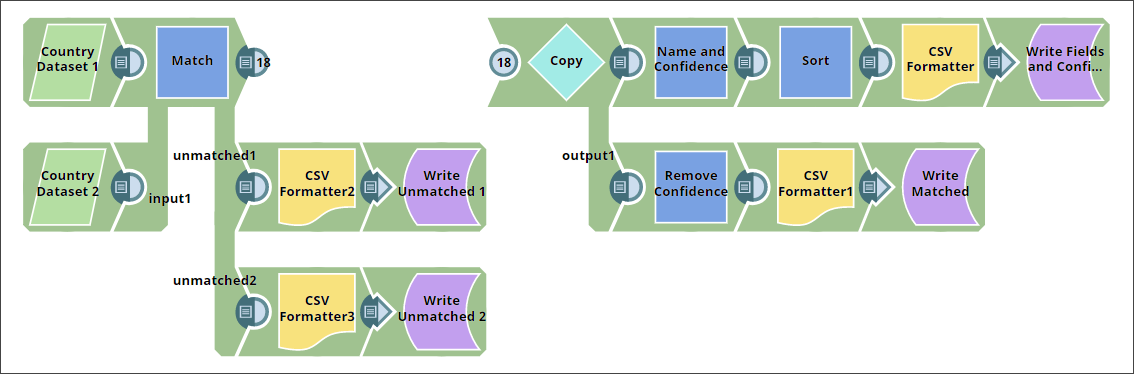
This example demonstrates how to match country records across two datasets using the Match Snap by comparing country names and capitals.
When working with datasets from different sources, entities such as countries may appear with slight variations in naming or formatting. This example demonstrates how the Match Snap helps identify matching records between two datasets based on country name and capital.
-
Create the input datasets.
Use two CSV Generator Snaps to create input datasets:
-
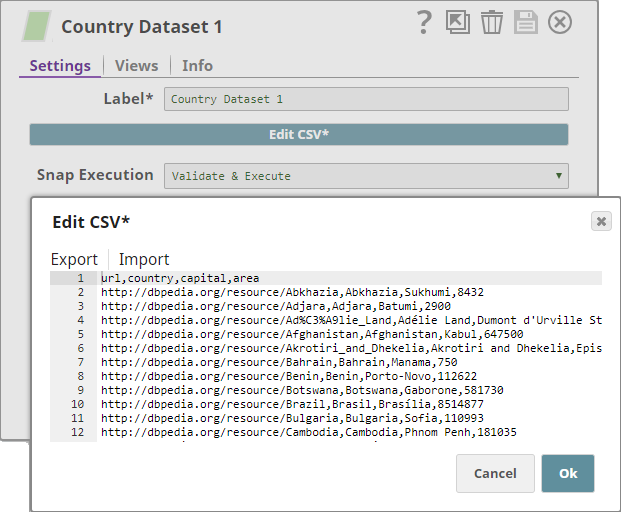
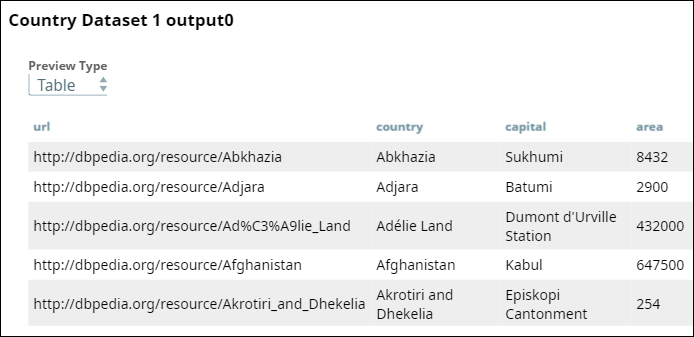
Dataset 1: Contains fields such as country URL, name, capital, and area.
-
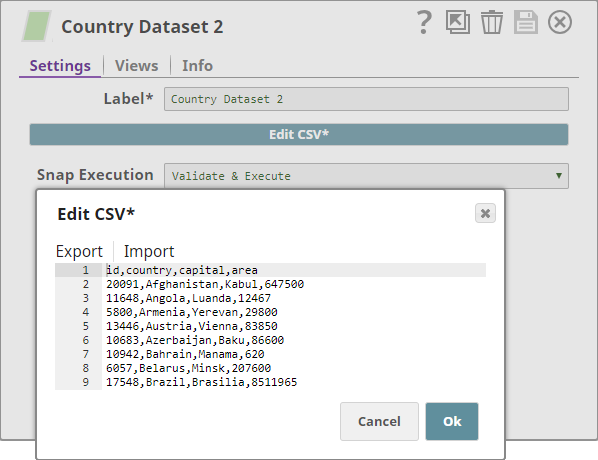
Dataset 2: Contains fields such as country ID, name, capital, and area.
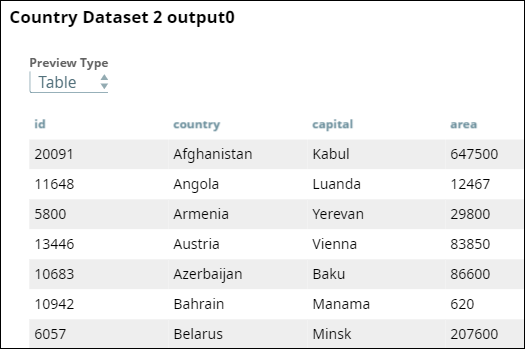
-
Dataset 1: Contains fields such as country URL, name, capital, and area.
-
Configure the Match Snap to compare records.
Connect the two input datasets to the Match Snap. Configure it to match records based on
$countryand$capitalfields.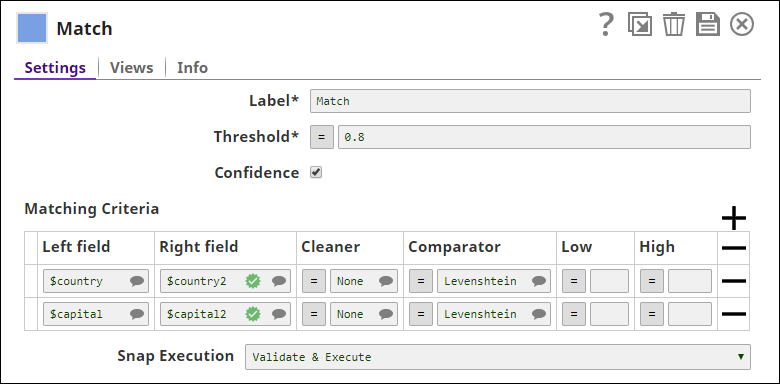
Enable all three output views of the Snap:
- First output: Matched records
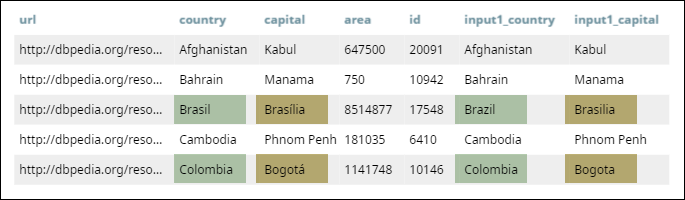
- Second output: Unmatched records from the first input
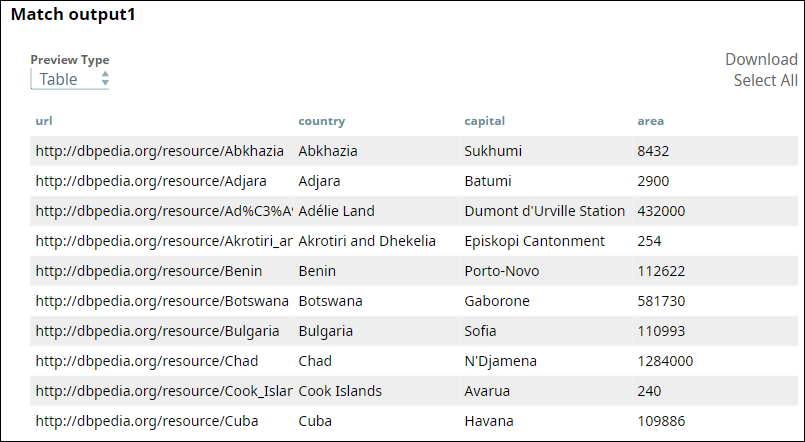
- Third output: Unmatched records from the second input
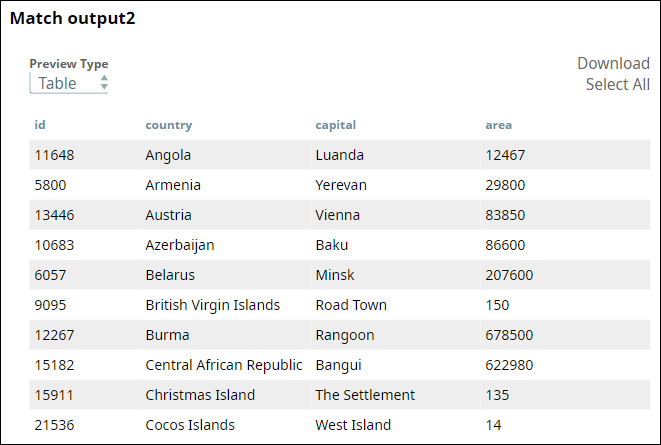
- First output: Matched records
-
Copy and process matched records.
Use a Copy Snap to duplicate the matched records stream.
From the first copy:
- Use a Mapper Snap to retain country fields and confidence score.
-
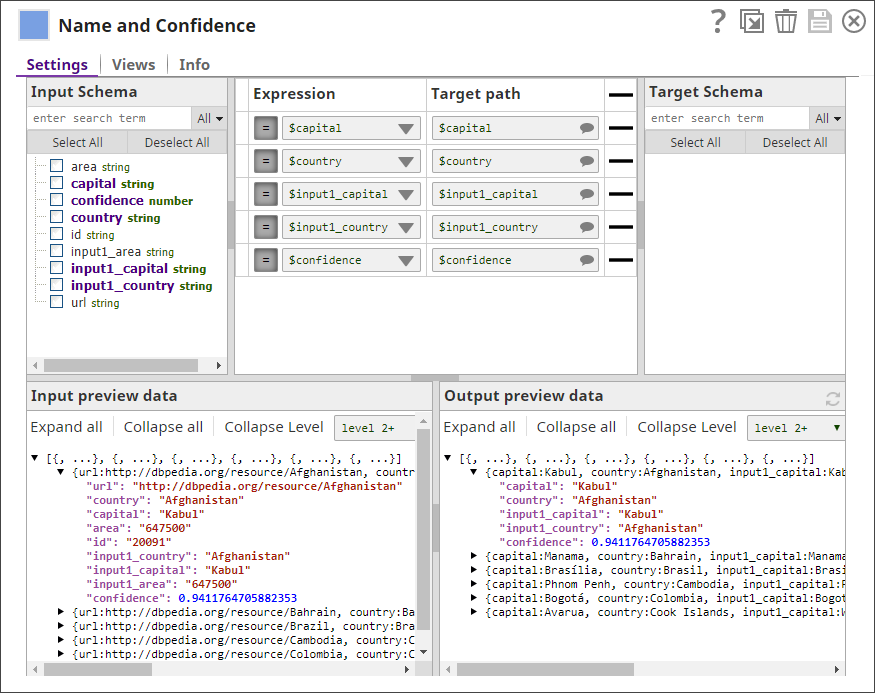
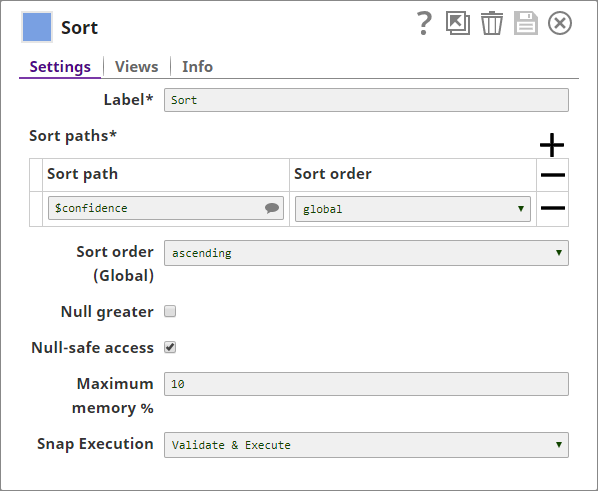
- Sort the results by confidence using a Sort Snap.
- Write the results to a file using the
File Writer
Snap.
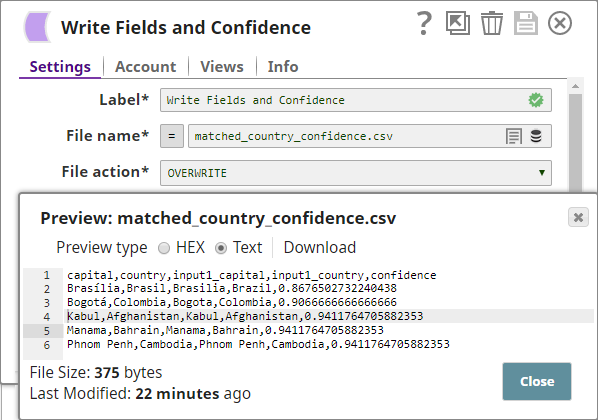
From the second copy:
- Use a Mapper Snap to retain only the
matched country and capital fields.
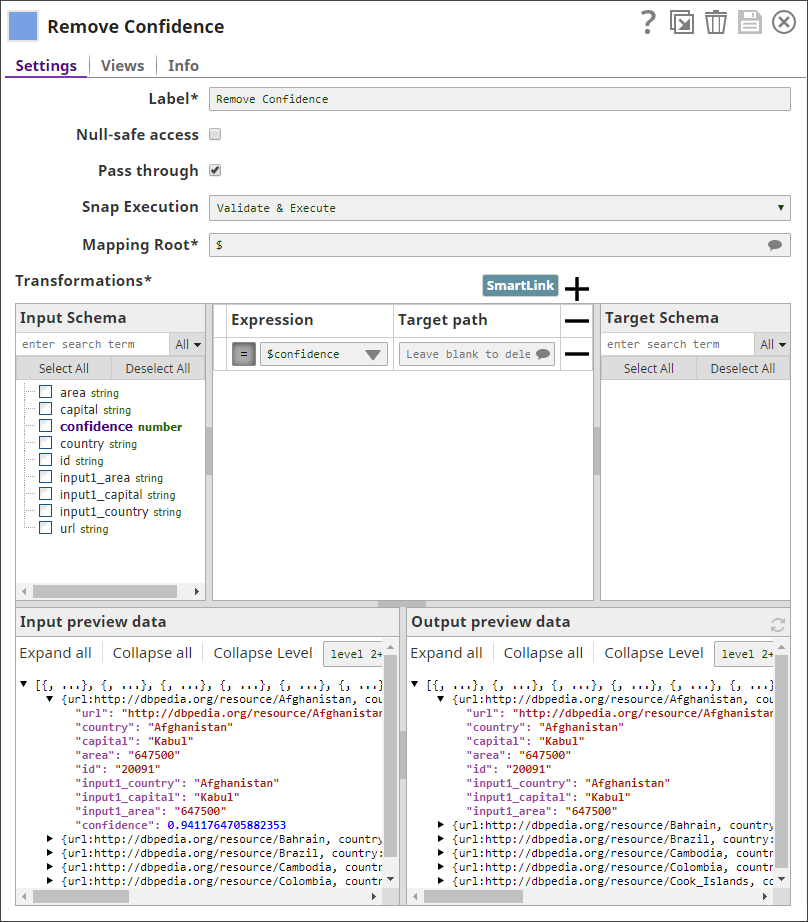
- Write the cleaned matched results to a file.
- Download and import the SLP file into your Environment.
- Configure Snap accounts.
- Provide Pipeline parameters, if any.