


Getting started
With APIM 3.0, you define Services to expose SnapLogic tasks and third-party endpoints and publish them for internal and external consumption. You can also create a Service by importing a Swagger 2.0 or OpenAPI Specification (OAS) 3.x specification.
APIM 3.0 components
In the world of technology, the terms server, service, endpoint, policy, and rule have many definitions. In the context of API Management 3.0:
- According to version 3 of the OAS, a Server is the API gateway that handles requests. In APIM 3.0, the Server is a Snaplex node. Refer to Runtime architecture for more information.
- A Service is a collection of endpoints. SnapLogic Service endpoints are:
- Native resources: Triggered or Ultra Tasks that execute on the same Snaplex as the Service.
- External resources: Third-party APIs or SnapLogic tasks used as an external endpoint that execute on a different Snaplex from the Service and require an additional network call to the external server. Refer to Request execution flow for more information.
- An endpoint makes Service functionality available to individuals or applications. It's an access
point that enables communication with the Service and maps to one native or external resource. A Service endpoint URL has the following form:
It includes these components:https://hostname/gateway/URL-slug/version/endpoint-paths/- Hostname: The root address. For an endpoint executing on a Cloudplex, a hostname of:
https://snaplogic.io. For an endpoint executing on a Groundplex, your hostname or IP address. - URL-slug: A unique value that identifies the Service. For example:
MyService - Version: The user-specified version. For example:
v1. - Resource Path: One or more paths defined for the endpoint. For example:
users.
- HTTP Methods: The type of request. For example:
GET,POST,PUT,DELETE. - Headers: Additional information such as authentication tokens and content type.
- Optional query parameters: Modify the request. For example:
?limit=10.
- Hostname: The root address. For an endpoint executing on a Cloudplex, a hostname of:
- Policies are collections of rules that you can apply to all Services, a single Service, or specific Service endpoints.
- Rules define validation, authentication, authorization, behavior such as request mapping, redirecting, caching, and transformation for the request and optional transformation for the response. The Snaplex node applies the Policy rules at the appropriate point during execution.
General steps to create and publish a Service
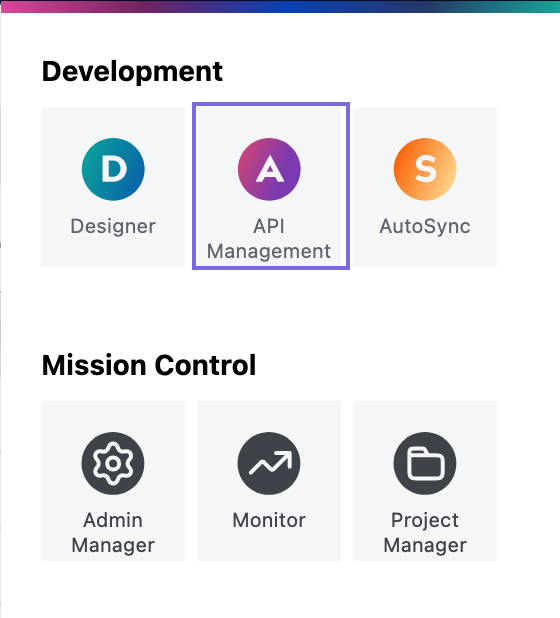
Open APIM 3.0 from the waffle menu API Management option.
- Add endpoints that reference existing Triggered Tasks, Ultra Tasks, or external endpoint URLs.
- Upload or reference the URL of a Swagger 2.0 specification or an OpenAPI Specification (OAS) 3.x specification.
- Migrate APIs or Proxies from Classic APIM
To validate and secure the Service, define one or more Policies. A Policy contains one or more rules that a Snaplex node executes at runtime. Learn more about Policies and rules.
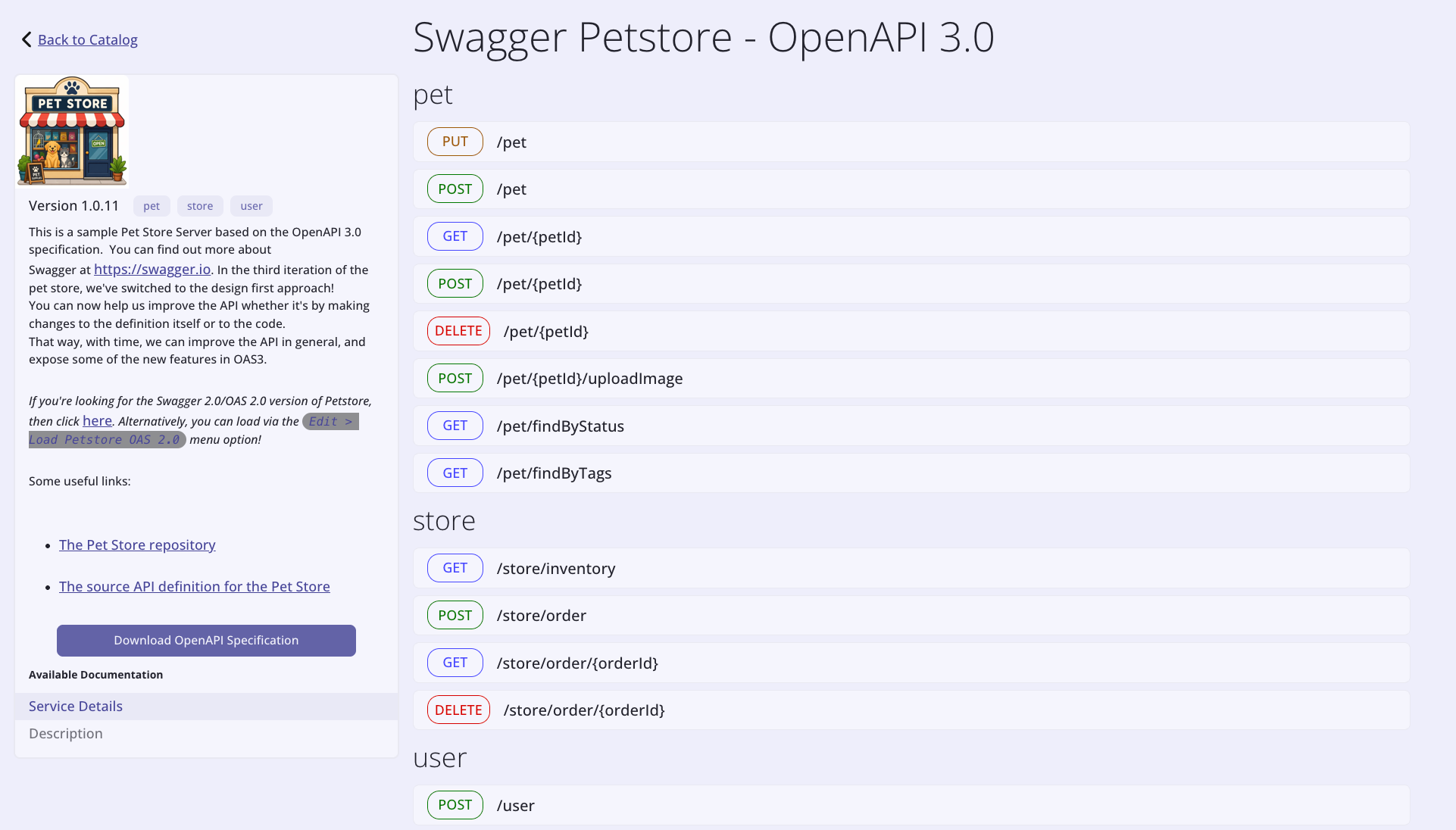
After testing a Service, configure subscriptions, and change its status to publish it in the APIM 3.0 Developer Portal. This makes it available to consumers who can view, try out, and subscribe to Services. A subscription gives them access to an API key or JWT for authentication. They can also download a Service specification, which APIM 3.0 generates in OAS 3.0 format. The following image shows the details of a Service created from the Pet Store specification.
To share Services, consumers create applications that act as containers for multiple subscribed Services. The permissions for the project in which the Application is stored determines who can use the subscriptions.
Reuse Classic APIM resources
If your organization is already subscribed to SnapLogic Classic API Management (APIM), API Management 3.0 provides access to the Classic interface and migration for existing API Versions and Proxies.
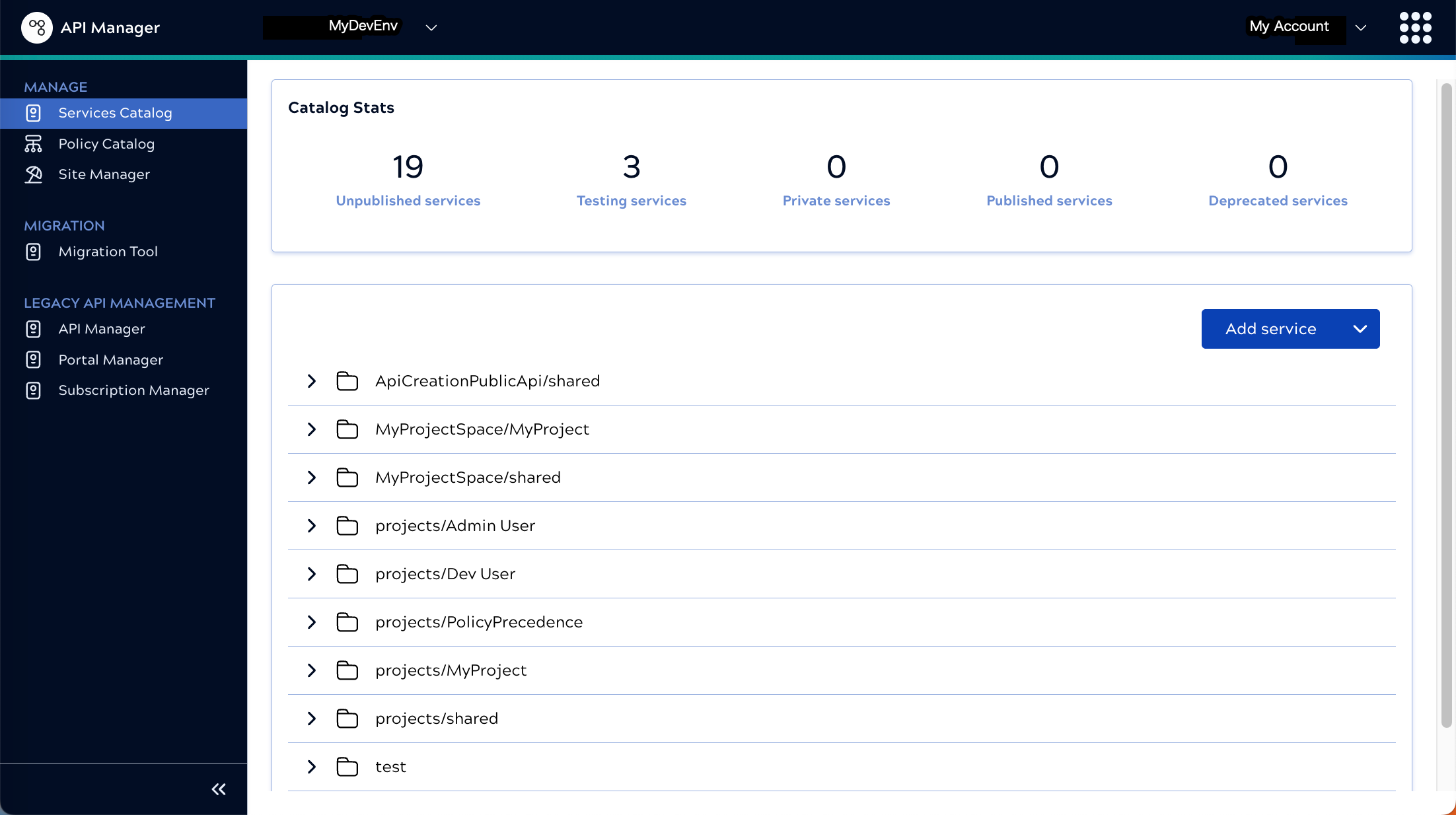
Migration includes APIs, Proxies, Policies, Subscriptions, and other SnapLogic assets. Learn more about migrating Classic APIM assets to API Management 3.0.
Promoting API Management 3.0 assets to another environment
Organizations that have separate environments for development and production can use the following features to promote their tested API Management 3.0 assets to another environment:
- In environments with the Git Integration, follow the steps described in Concurrent development
- In environments without the Git Integration, use Migrate Project from the Project
Manager. Tip: When using project migration, save related assets in the same project. Instead of selectively migrating assets by type, select all in the project to make sure that the migrated project includes all necessary assets.
What's next
Choose the next step on your learning path:
- Compare Classic APIM with APIM 3.0
- Interface mapping: Classic to 3.0
- Try a Hello world tutorial
- Learn about deployment options
- Understand the basic execution flow
- Learn how API Management terms and components map to API Management 3.0
- Migrate API Management assets to API Management 3.0
- Find the complete procedures for common tasks