


Test and publish Services
Test or publish a Service to the APIM 3.0 Developer Portal by changing its status. Before publishing, you can set up subscriptions.
- With publishing enabled for all users, anyone with read, write, and execute permissions on a Service's project can publish it.
- With publishing disabled, only environment admins can publish it. Refer to Configure Developer Portal settings for information on how to configure publishing settings.
Service statuses
Click the status pill next to the Service name to open the status menu. The initial status on creation or migration is Unpublished. The following statuses are available:
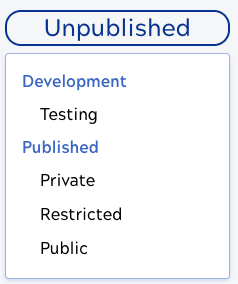
The status determines whether a Service is visible in the APIM 3.0 Developer Portal and whether endpoints are usable:
- Unpublished: Not available in the APIM 3.0 Developer Portal and not functional. The Service must meet minimal requirements before you can move it to another status.
- Testing: Not available in the APIM 3.0 Developer Portal. The Service and all endpoints meet minimal requirements, are functional, and ready to test with the URL and path.
- Private: Not available in the APIM 3.0 Developer Portal. Endpoints are functional and can be used by calling the URL.
- Restricted: Available in the APIM 3.0 Developer Portal to users with a SnapLogic login who have access to the underlying Service.
- Public: Available in the APIM 3.0 Developer Portal to all users—those who have a SnapLogic or a APIM 3.0 Developer Portal login—assuming the portal is configured to require logging in.
You can't change the Service to a published status until validation passes with no errors. Refer to Validation for more information.
Testing endpoints

Paste the URL in the test environment. Add any required parameters and authentication.
Subscriptions
Subscriptions give consumers access to Services for a specified timeframe. Subscription settings can apply to the current Service or all versions of the Service. The settings include an expiration timeframe, the type of key (JWT or API), and whether requests get approved automatically.
Configure and manage subscriptions describes how to set up subscriptions and approve or reject subscription requests.
Try out endpoints from the Developer Portal
With the Try it out feature, Service developers and consumers can exercise endpoints from the APIM 3.0 Developer Portal without using an external tool, such as Postman. Try it out requires a CORS rule and one or more supported authentication rules. The supported authentication rules include the API Key Authenticator rule, the Basic Authentication rule, the Callout Authenticator rule, and the JWT Validator rule.
- With API key or JWT authentication, only the developer (or anyone they share the key with) can use Try it out. Other users must subscribe to the Service to get a key.
- With a Basic Auth rule, consumers and other Service developers can use Try it out without subscribing to the Service.
To enable the Try it out feature:
- Create a policy with a CORS Restriction rule and one or more of the supported authentication rules.
- Apply the policy to the Service or endpoint.
- Publish the Service to APIM 3.0 Developer Portal with Public visibility.
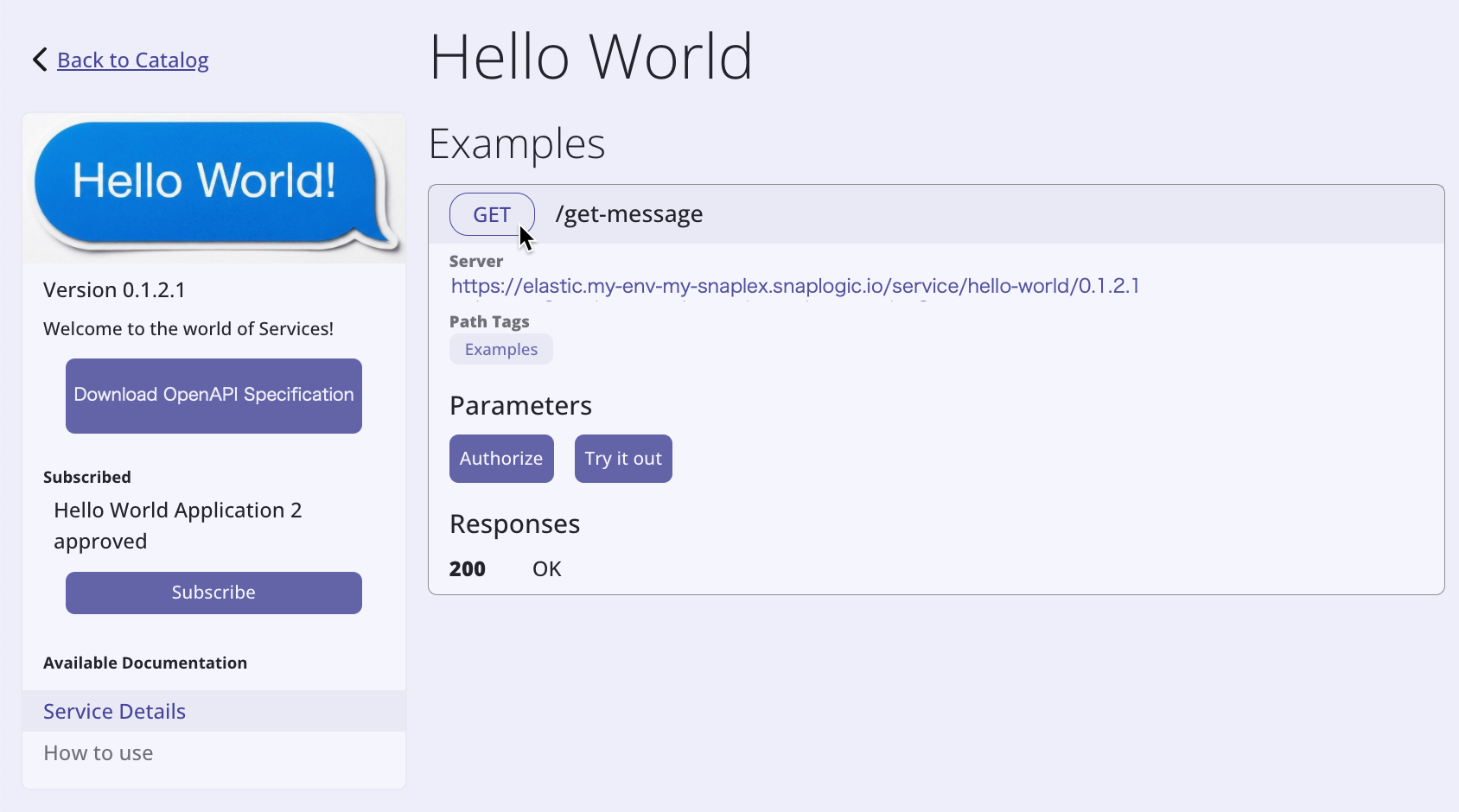
Refer to Enable Try it out for Hello World for an example.
Publishing Services created by migration
You can migrate existing Classic APIM API versions and Proxies to APIM 3.0 Services without breaking existing subscriptions. After migration, when you publish the new Service, APIM 3.0 automatically routes incoming requests for the original API or Proxy endpoint to the migrated Service’s endpoints.
For Service versions created by migration:
- When published, both the Service URL and the original API or Proxy URLs execute the new Service.
- If published and then unpublished, the original API or Proxy URLs execute (as long as they weren't removed) but the new endpoints don't execute.
- If published and moved to testing, the original API or Proxy URLs execute (as long as they weren't removed) and the new Service endpoints execute.
We recommend directing new clients to use the published Service version endpoints going forward.
Deprecate a Service or Service version
If you plan to end-of-life a version of a Service, enable the Deprecated toggle in the Service or Service version edit dialog. This informs those using the Service that they should plan to migrate to a different version. You can provide details in the Documentation for the Service, such as the cut-off date.
The following describe how to perform tasks related to Services and endpoints: