


Send Documents to a Kafka Topic
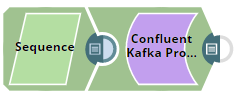
This example pipeline demonstrates how we can send documents to a Kafka topic using the Kafka Producer Snap. We use the Sequence Snap to enable the pipeline to send documents in large numbers.
Download this pipeline
-
Configure the Sequence Snap
First, we configure the Sequence Snap to send 1000 documents. Hence, we set the Initial value as
1and Number of documents as1000.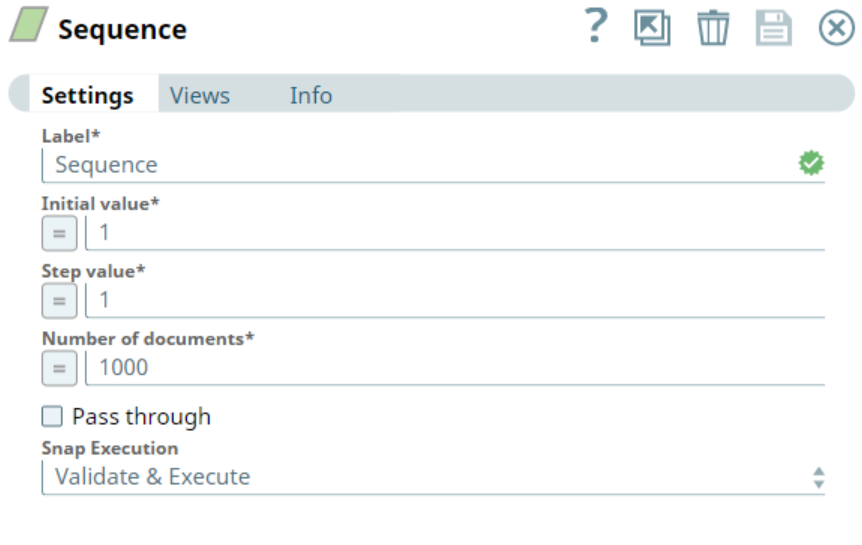
-
Configure the Kafka Producer Snap
Next, we configure the Kafka Producer Snap to send the documents to the topic named SampleKafkaTopic. We set the Partition number to
0to let the broker decide which partition to use.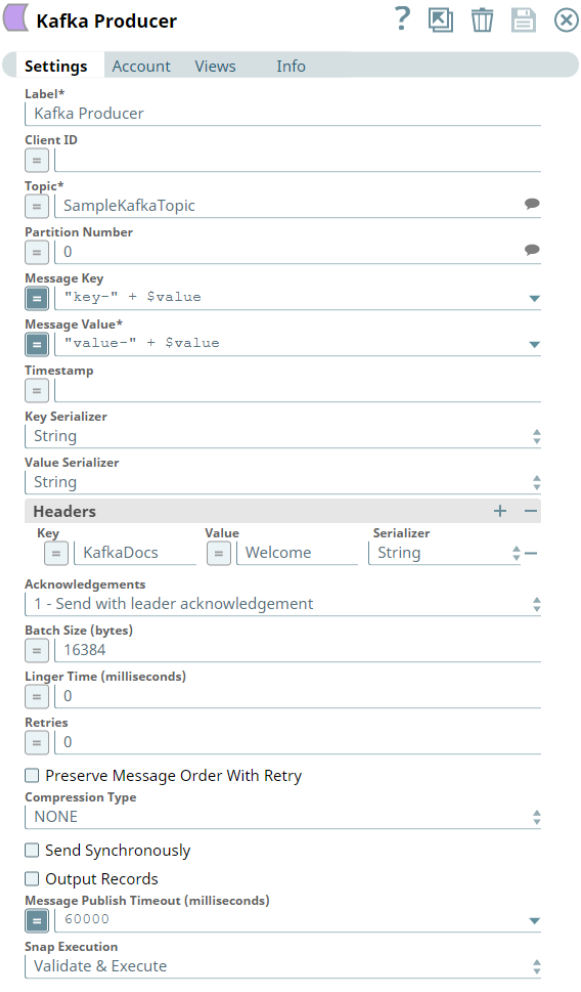
-
Validate the output
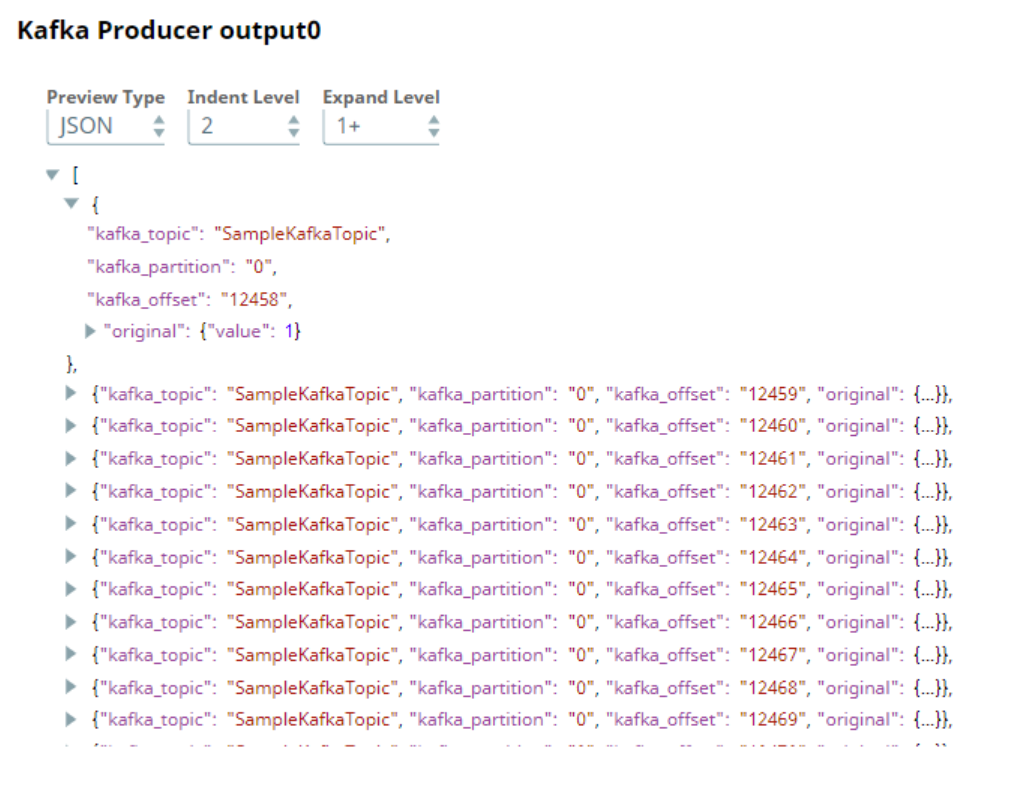
Upon successful validation, the Pipeline displays the output preview as shown below:
- Ensure that the Kafka Producer Snap is configured with the correct topic name and partition number.
- Validate that the Sequence Snap generates the expected number of documents before sending them to Kafka.
- Confirm successful message delivery by reviewing the output preview or monitoring the Kafka topic.