


Sequence Snap with Input
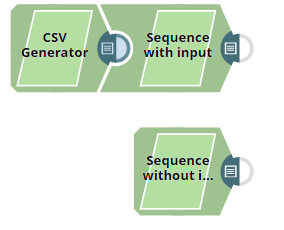
The pipeline, Sequence_Snap_with_Input_Data, demonstrates how the Sequence Snap functions when there is an input. Upon execution, the Snap generates a sequence of numbers based on the Snap's configuration. However, the number of records output by the Snap is the same as the number of input records.
Download this pipeline
-
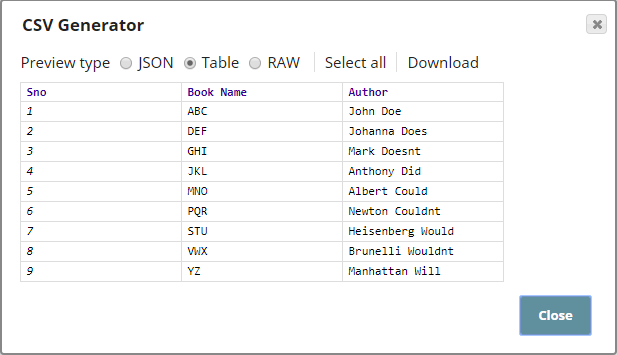
The CSV Generator Snap passes a CSV file containing 9 records to the Sequence Snap,
Sequence with Input. The other Sequence Snap, Sequence Without Input, is
configured with the same values as the other Sequence Snap. Outputs from both Snaps are
shown to demonstrate that the total records in the output vary according to the Snap's
input. The input to the Sequence with Input Snap is as shown below:
-
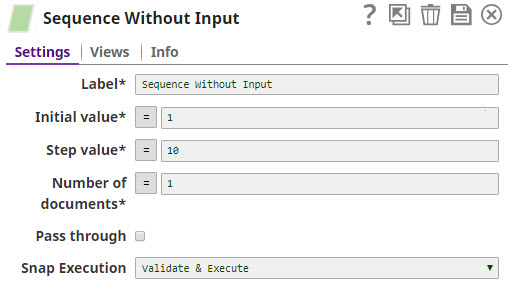
The Sequence Snap is configured as shown below:
-
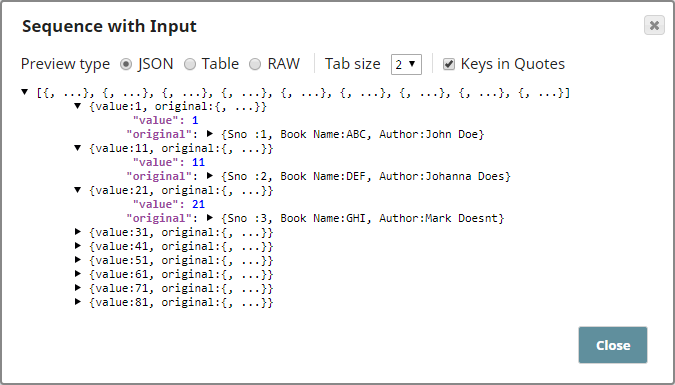
Based on the Snap's configuration, the output sequence starts from 1 with increments of
10. Even though the Number of documents property is configured as 1, the output contains a
sequence of 9 records, same as the number of input records. The original data from the
input is also shown under "original" in the output, you may use a Mapper Snap downstream
to capture this original data as per your requirements.
-
The second Sequence Snap, Sequence Without input, is configured with the same
values as the first Sequence Snap.
Based on the Snap's configuration, the output contains only one record, as shown below:
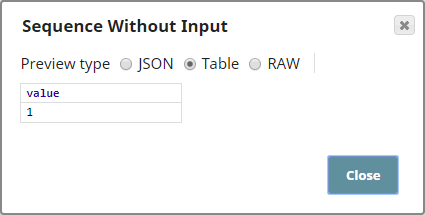
This demonstrates that the number of records in the Sequence Snap's output depends on the number of records in the input.