


Publish a Service version
The environment configuration and project permissions control who can publish a Service:
- With publishing enabled for all users, anyone with read, write, and execute permissions on a Service's project can publish it.
- With publishing disabled, only environment admins can publish it. Refer to Configure Developer Portal settings for information on how to configure publishing settings.
Important: You can't modify a Service in any published status:
private, restricted, or public. You must unpublish it first.
- A tested service with:
- A Snaplex selected at the Service or the endpoint level.
- At least one endpoint that defines one or more HTTP methods.
- The appropriate Policies.
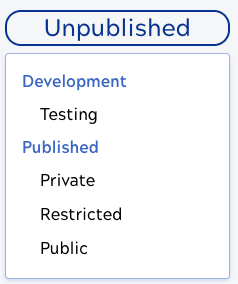
- Click the Service status pill.
If you encounter issues testing or publishing, check the following:
- Make sure there are no errors reported in the Service.
- Make sure the Service status is correct:
- To test, the Service status must be Testing.
- To publish, the Service status must be one of Private, Restricted, or Public.
- Check the Snaplex selected in the Service to make sure it's running.