Approve or reject Portal users
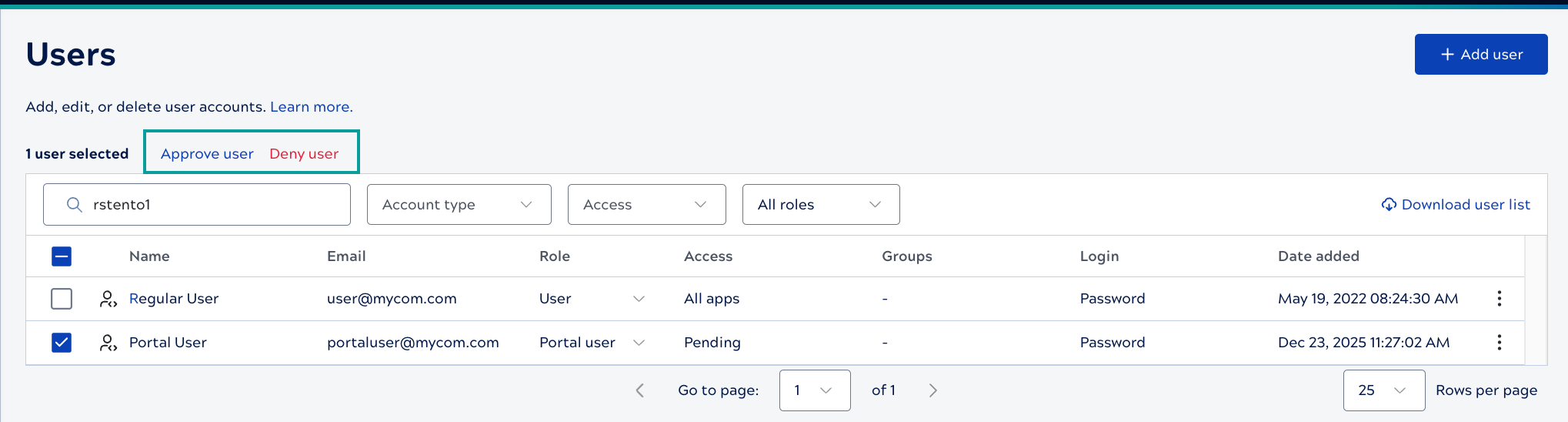
To use the APIM 3.0 Developer Portal, non-SnapLogic users must request an account. To approve or reject the request, follow these steps:
-
Select the relevant users.
Approve user and Deny user links display above the table. Approved users receive an email with a link to log in.