


Converting Numeric Data into Categorical Values
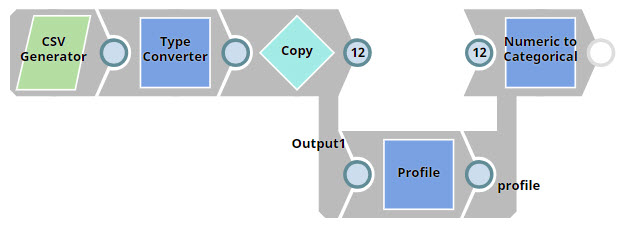
This pipeline demonstrates how to use the Numeric to Categorical Snap to convert numeric fields into categorized groups based on their values.
-
Configure the
CSV Generator
Snap to generate input data.
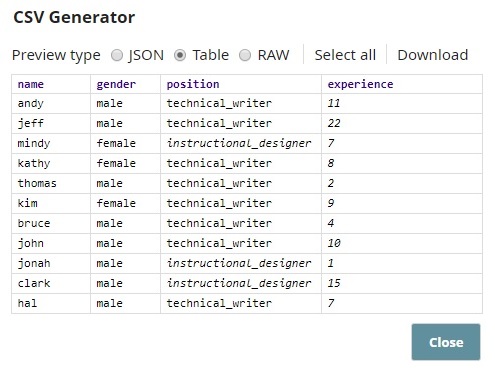
Use the following values to simulate sample employee data:
-
Configure the Profile Snap to compute data statistics on the
$experiencefield.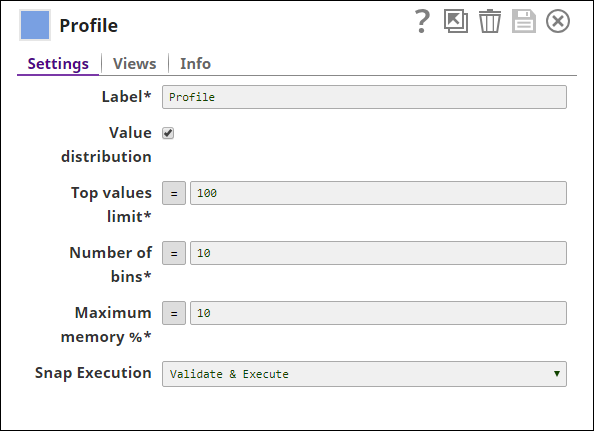
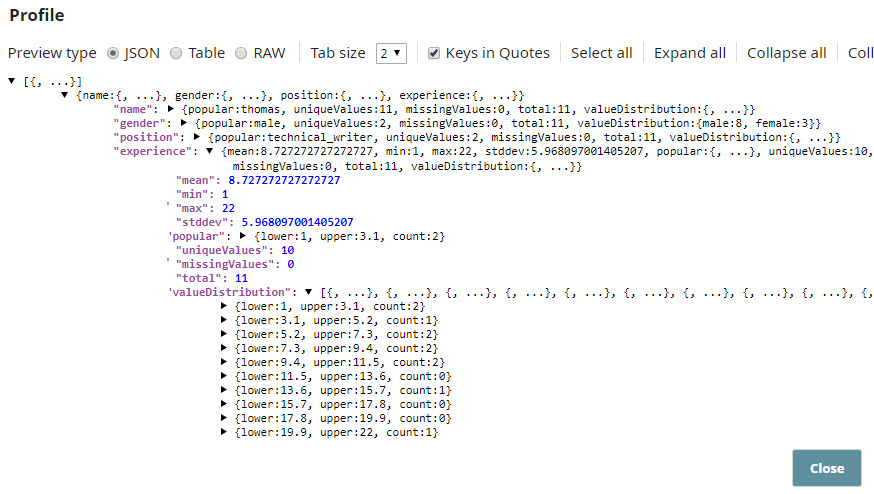
Note: The$experiencefield has a minimum value of 1 and a maximum of 22. These values are required for binning-based conversion. -
Configure the Numeric to Categorical Snap to categorize numeric values using the Binning method.
Select Binning as the Rule to convert numeric values in the
$experiencefield into categories: junior, senior, and principal.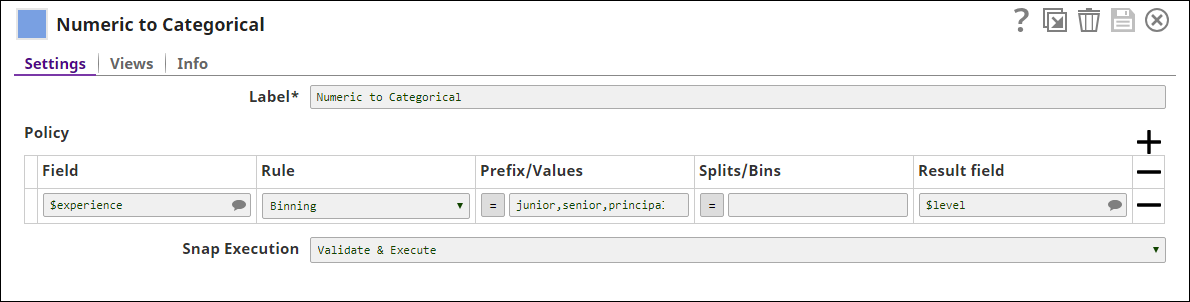
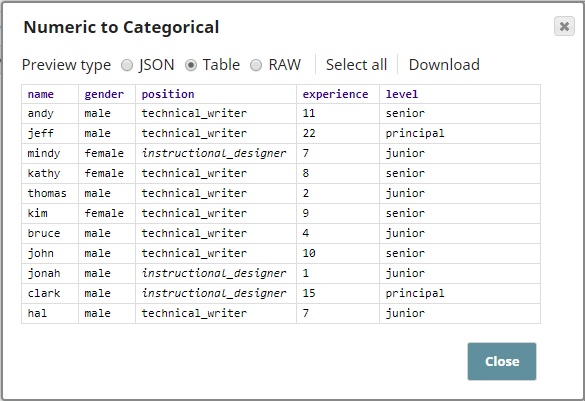
This Snap adds a new field
$levelto the output that classifies employees based on their years of experience.
- Download and import the SLP file into your Environment.
- Configure Snap accounts.
- Provide Pipeline parameters, if any.