


Moving File from Local System to Azure Blob Container
This example Pipeline demonstrates how to move files from your local system to the Azure blob for improved performance.
-
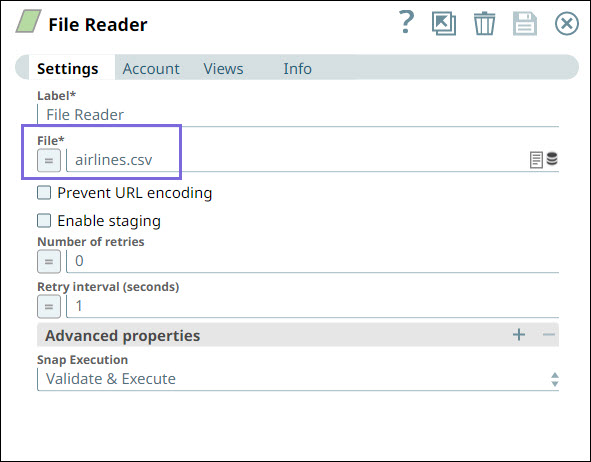
Configure the
File Reader
Snap that reads
airlines.csv file from the local machine.
-
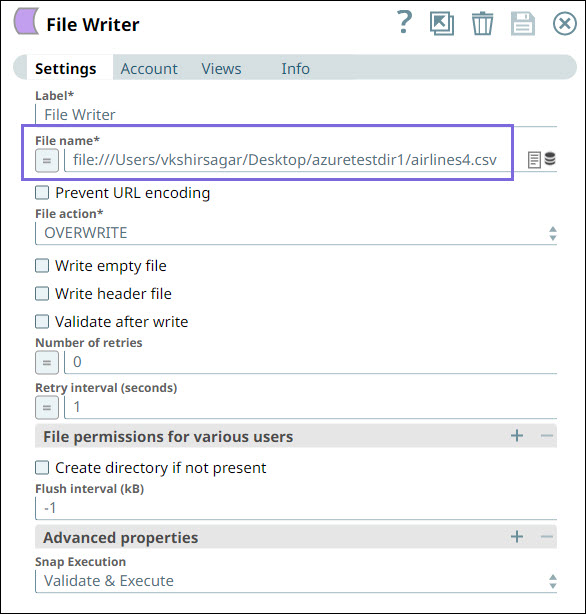
Next, we configure the File Writer Snap to write the airlines.csv file.
-
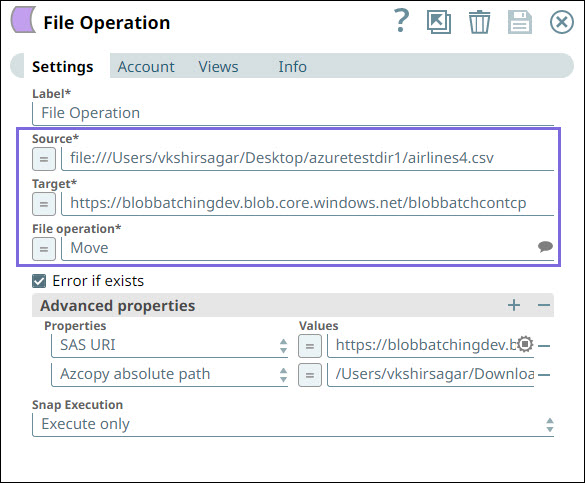
Next, we configure the File Operation Snap to move the file from Source (local
directory) to Target (Azure Blob container).
- SAS URI: https://blobbatchingdev.blob.core.windows.net/?sv=2020-08-04&ss=bfqt&srt=sco&sp=rwdlacupitfx&se=2022-05-20T02:51:39Z&st=2022-05-19T18:51:39Z&spr=https&sig=ey9YraJOEsokwBz4GsvT4p%2FCb4eoAuMIVwrf3zymeeI%3D
- AzCopy absolute path:
/Users/vkshirsagar/Downloads/azcopy_darwin_amd64_10.12.2/azcopy
- Download and import the pipeline into SnapLogic.
- Configure Snap accounts as applicable.
- Provide pipeline parameters as applicable.