Create JIRA issue from another system
This example demonstrates reading an issue from another issue tracking
system and creating it in JIRA using the JIRA Create Snap.
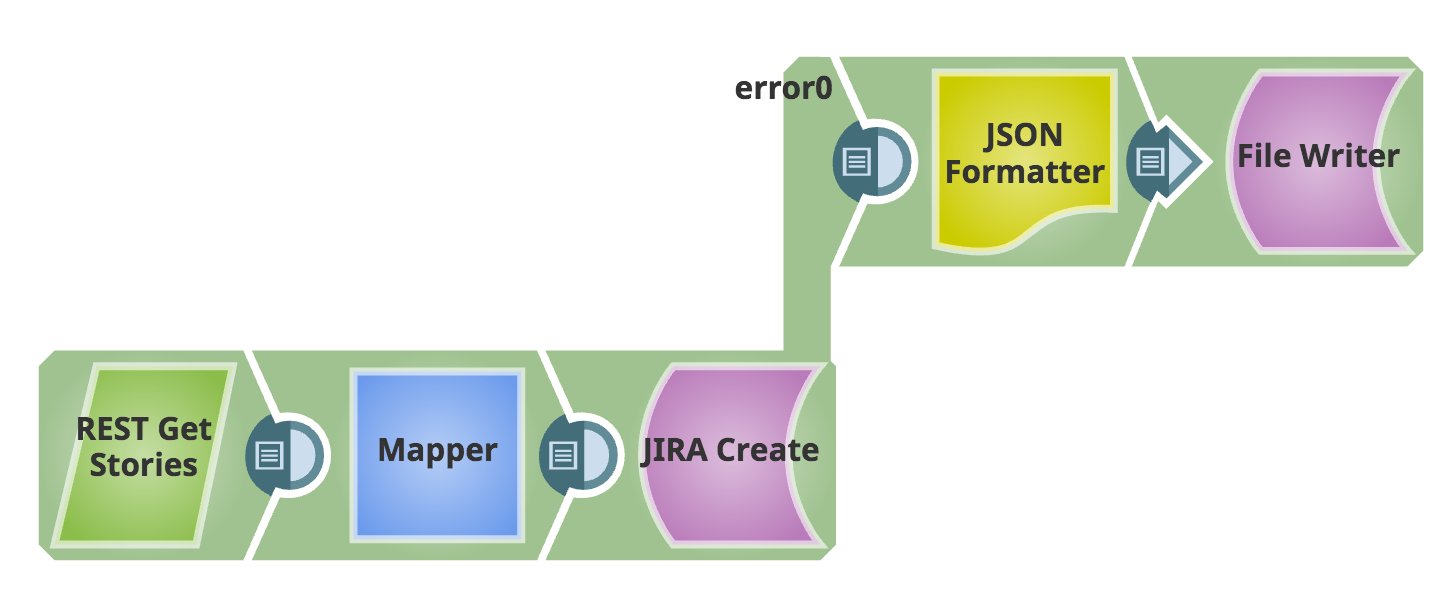
The pipeline uses:
- A REST Get Snap to read an issue from another system
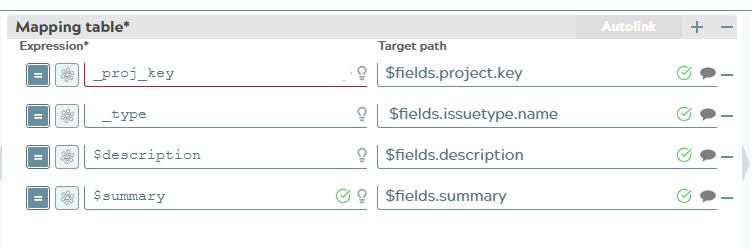
- A Mapper Snap to map corresponding fields
- A JIRA Create Snap to send it to JIRA
- Optionally, a JSON Formatter and File Writer Snaps can be added to catch any errors from the JIRA Create Snap
-
Configure the Mapper Snap, to map the appropriate fields between the two systems.