


Get response from SnapLogic
The following example pipeline demonstrates how to get a response from SnapLogic.
-
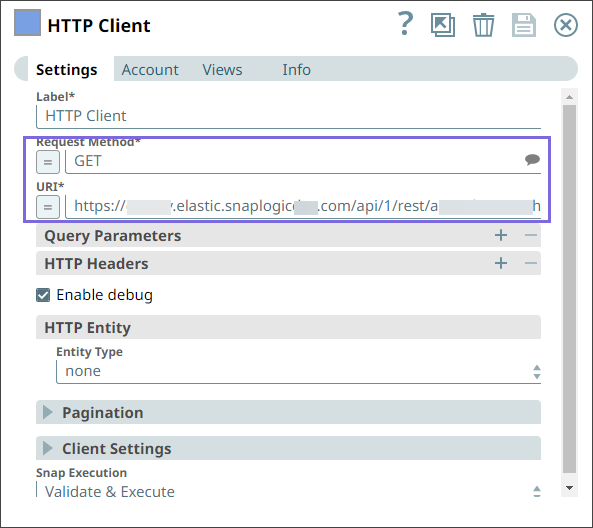
Configure the
HTTP Client
with the GET request
method and the URI to receive a response from SnapLogic.
-
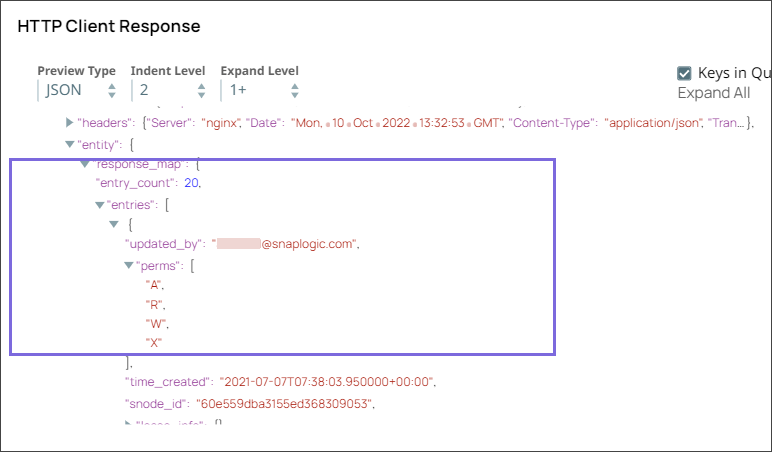
On validation, Snap generates the output and displays the following response from the
SnapLogic server.
- Download and import the pipeline into SnapLogic.
- Configure Snap accounts as applicable.
- Provide pipeline parameters as applicable.