Synchronous and asynchronous Triggered Task execution
When you run a Triggered Task, the request is synchronous by default. The Task responds with an HTTP response status code upon completion. However, if the pipeline has a single, unterminated Snap providing output, then the output from that Snap is provided as the response to the request. This behavior lets the developer make the pipeline asynchronous, in that the response is written back to the user.
For example, take the following pipeline: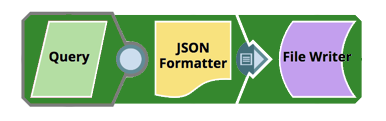
When you trigger the task created from this pipeline, for example from a browser, you receive an HTTP response status code on completion.
For example: { http_status_code: 200 }
The request waits until the pipeline execution has completed before displaying this message.
If you want to make the pipeline asynchronous, you can add a Snap with an unterminated output, as shown in the following example:
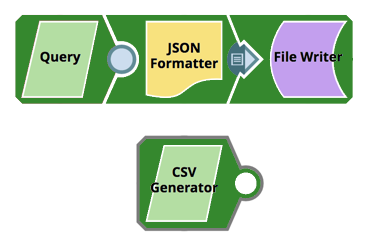
Now when you trigger the Task created from this pipeline, the output from the response Generator Snap is provided almost as soon as the pipeline executions starts.
In this case, a JSON Generator responds with the message :{ msg: "Started Ok", http_status_code: 200 }
The net effect of which is that the Pipeline execution behaves asynchronously.
Passing the execution status code through binary header properties of the JSON Formatter Snap
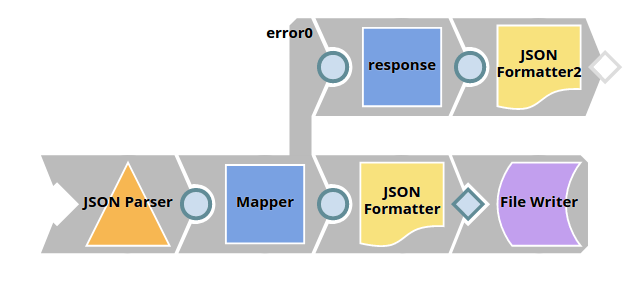
The status code (405) as retrieved from the pipeline is mapped to the response:
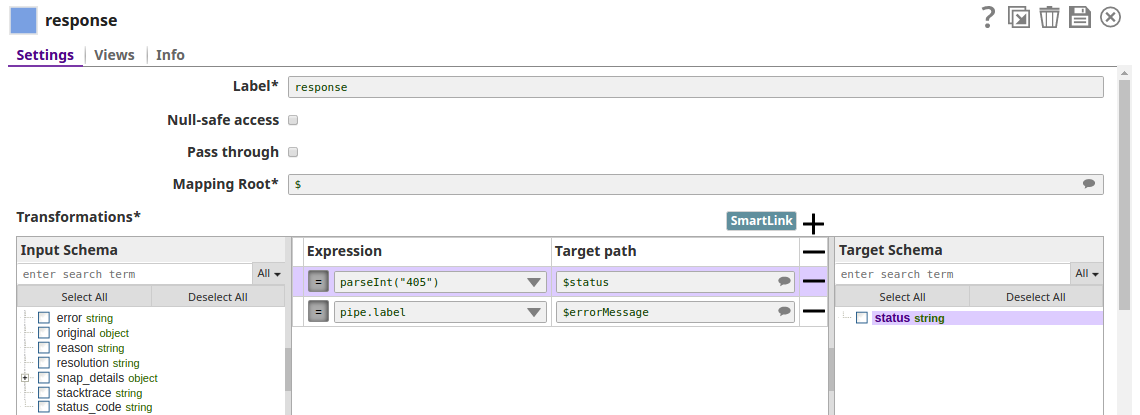
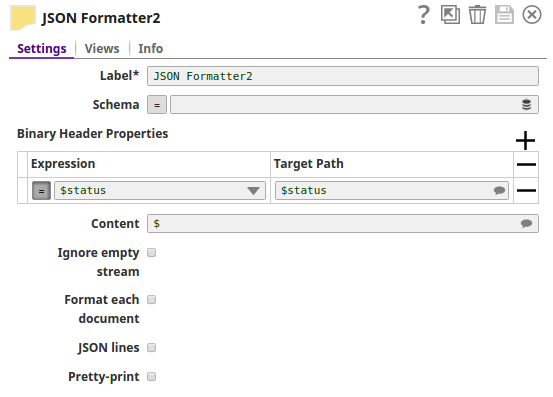
The JSON Formatter Snap passes the actual status code to the browser via the Binary Header Properties: